Zendesk vs Kustomer: Customer Service Platform Comparison
Zendesk vs Kustomer, which tool is better for AI-assisted customer service? We look at features, ease of use, pros and cons, pricing and more.


On this page
Looking for a modern & affordable alternative to Zendesk and Kustomer? Check out Featurebase
Choosing a platform for managing customer interactions is a huge leap of faith, especially in 2026, when it boils down to AI and how it's used. While new tools keep popping up daily, established players still reign supreme. Zendesk is one of the powerhouses of customer support operations, and Kustomer has been on its toes since 2015.
Both tools help businesses provide personalized support with AI and human agents, and their target audiences are similar. Today, the difference between choosing one or the other comes down to artificial intelligence, pricing, and the main features for improving customer satisfaction.
So, how do you choose between Zendesk and Kustomer? Let's compare them side by side. 👇
Short overview
- Zendesk is a mature, ticketing-first support platform with broad integrations, structured workflows, and enterprise-level scalability.
- Kustomer is a CRM first support tool built around a unified customer timeline rather than traditional tickets.
- Zendesk offers lower entry pricing, but meaningful AI and automation require higher tiers and paid add ons.
- Kustomer starts at a higher price point with seat minimums, and AI is priced per engaged conversation.
- Zendesk wins on ecosystem and operational control, especially for large teams with complex routing and reporting needs.
- Kustomer stands out for deep customer context and workflow automation, particularly for e-commerce and messaging heavy brands.
Not ready for enterprise-level complexity and pricing? Get Featurebase instead.
Zendesk vs Kustomer at a glance
Before we get into features and pricing, it helps to understand what each tool actually is, who it is built for, and where it tends to shine.
Zendesk
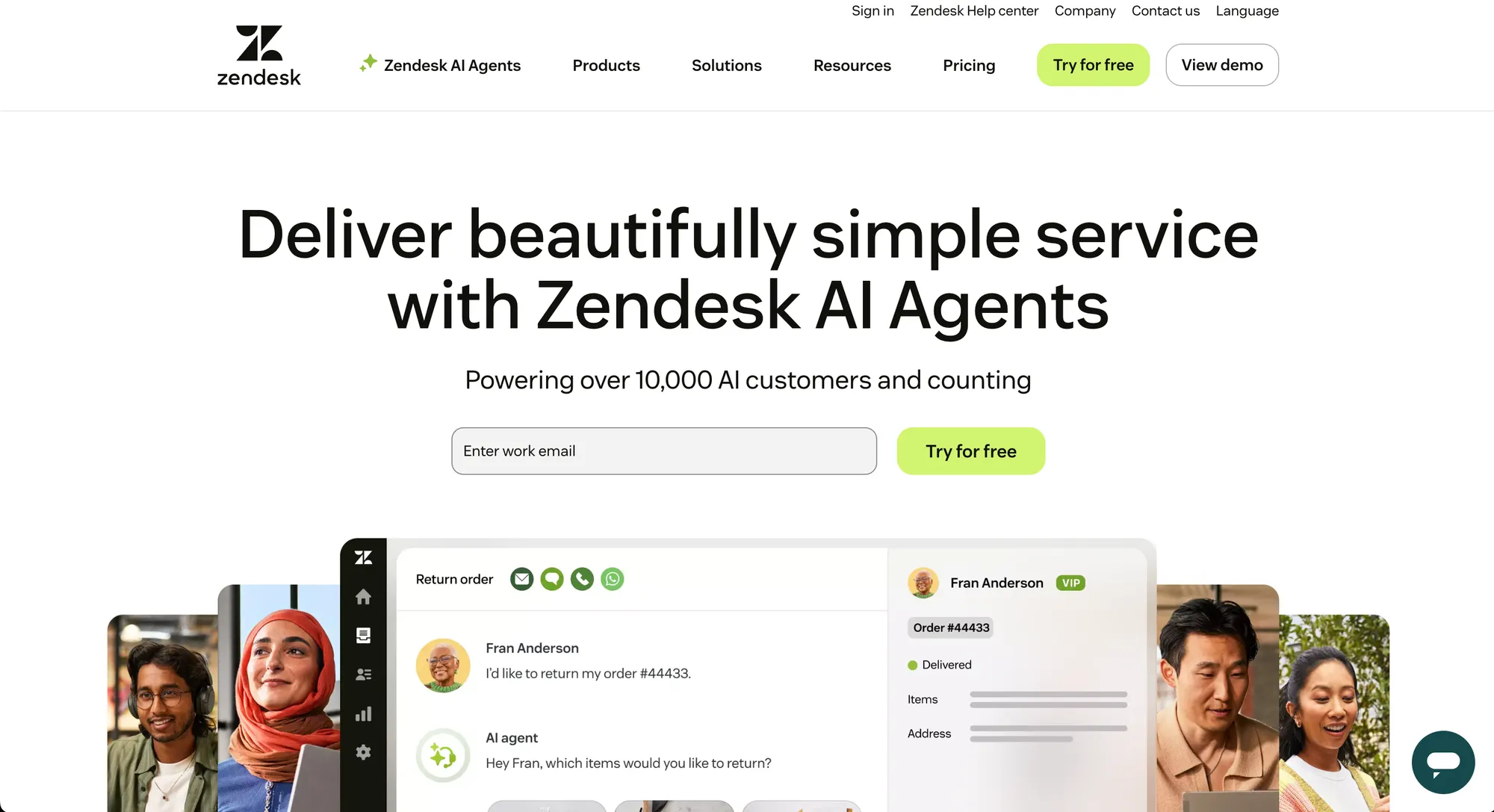
Zendesk has been around since 2007 and is one of the most established names in customer support software. It started as a simple ticketing system and gradually evolved into a full customer service platform used by companies of all sizes, from startups to large enterprises.
Today, Zendesk focuses on omnichannel support, scalable ticket management, and AI powered automation layered on top of traditional workflows. Its biggest strengths are maturity and breadth. You get a wide ecosystem of integrations, a large app marketplace, and features that have been refined over many years.
Zendesk is typically a good fit for:
- Growing support teams that want a reliable, structured ticketing system
- Companies that need strong reporting and workforce management
- Organizations that value a large integration ecosystem
It is often described as flexible and scalable, but that flexibility can also mean complexity as you move upmarket. The ease (or rather complexity) of use is one of the most common reasons users look at Zendesk alternatives.
Kustomer
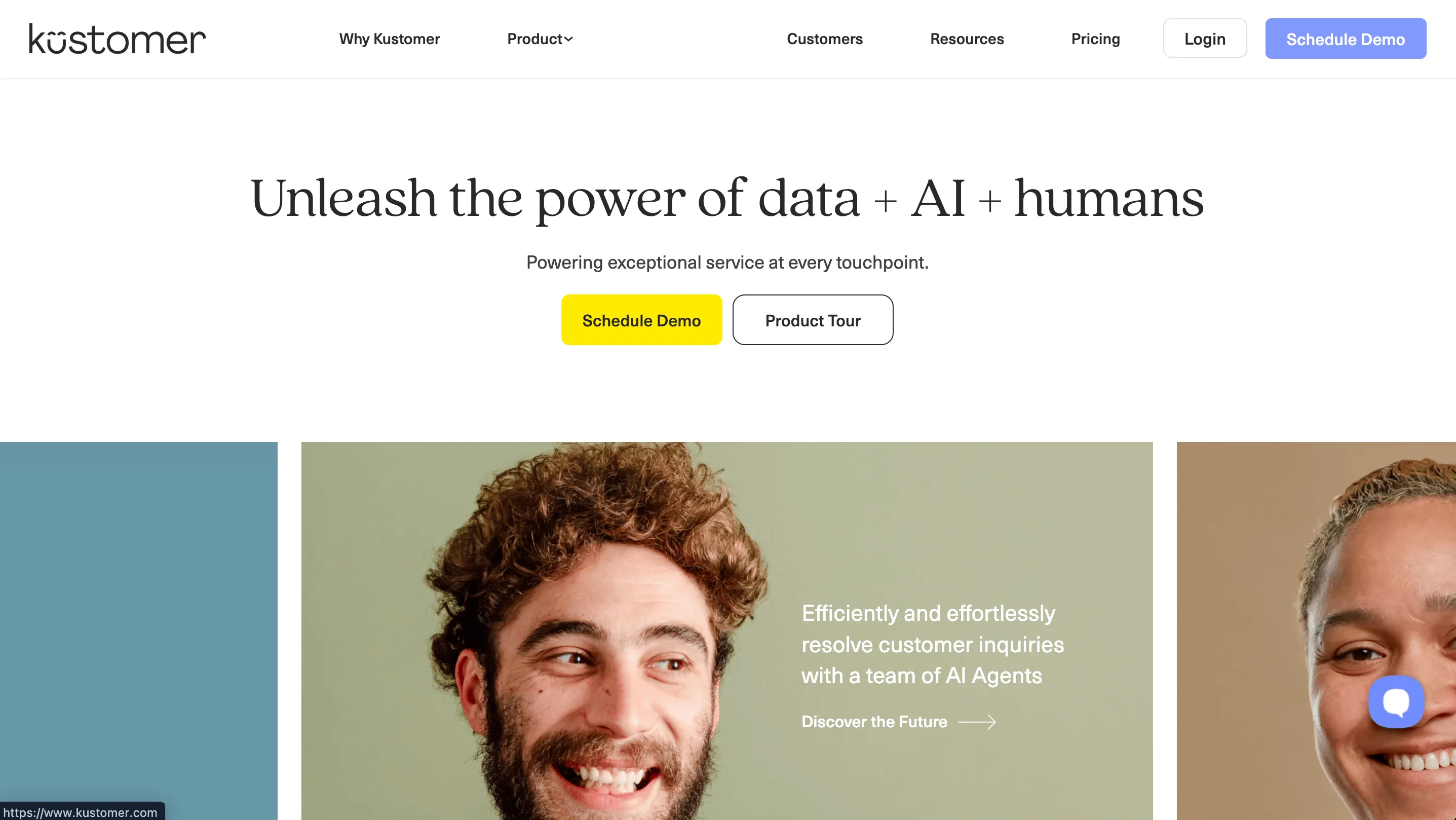
Kustomer, founded in 2015 and later acquired by Meta, takes a different angle. It positions itself as a customer-centric CRM for support teams rather than a traditional ticketing tool.
Instead of organizing work around tickets, Kustomer builds everything around a unified customer timeline. Every interaction across email, chat, social, and messaging is tied to a single customer record. This makes it especially interesting for e-commerce brands and digital-first businesses that handle high volumes of conversational support.
Kustomer's strengths are:
- A persistent customer view across channels
- Deep workflow automation
- Strong messaging and social commerce capabilities
It is generally geared toward mid-market and enterprise teams that want more control over data and automation from the start.
Key customer support platform features
Both tools are powerful for customer success and support teams, but one starts from a ticketing system angle, while the other is more focused on customer records.
Zendesk is primarily a ticketing system
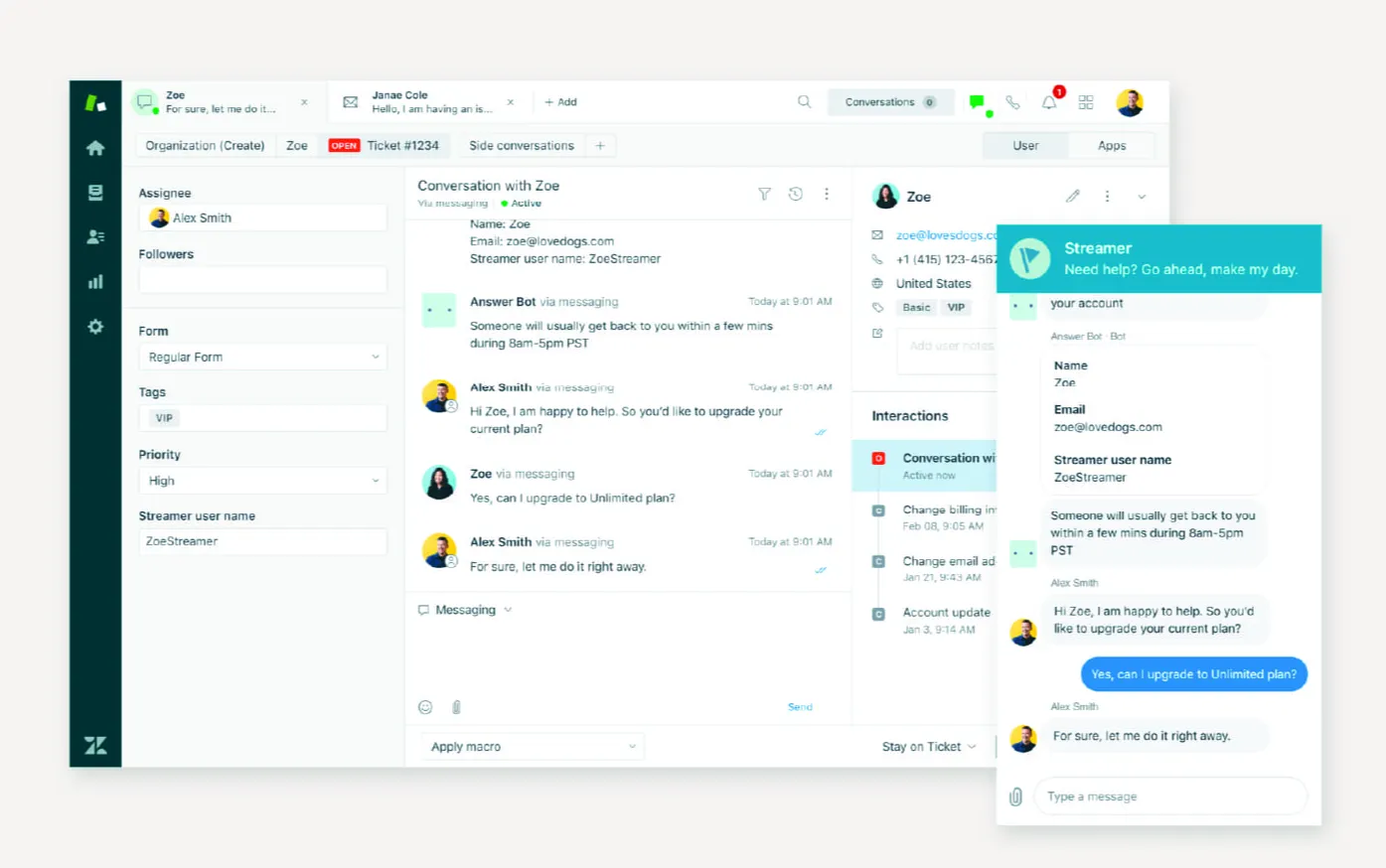
Zendesk is built around a robust ticketing system that can scale from a small inbox to a global support operation. The core strength here is operational control, which comes in handy as you grow your team and customer base.
Here are the features that matter most in practice:
- Omnichannel ticketing: email, live chat, voice, social media, and messaging apps all flow into one queue. Agents work from a unified workspace instead of juggling tabs. You can improve productivity and support leaders can monitor team performance.
- Advanced routing and triggers: you can assign tickets based on language, priority, customer tier, product line, or almost any custom field. This is especially useful for large teams with specialized agents. When the ticket volume gets tough to manage, Zendesk will send the most important tickets to the agents who can perform at their best.
- Macros and automation rules: pre-built responses, status updates, and automated follow-ups help standardize replies and reduce repetitive tasks. This feature works across multiple platforms and communication channels, but it requires more than the basic, entry-level plan.
- Help center and knowledge base: native self service portal with article management, search optimization, and analytics. Useful for deflecting tickets before they reach agents. In theory, a customer could resolve their pain point through the help center before even using any support tools to communicate with you.
- Workforce management and QA tools: built-in forecasting, scheduling, and quality assurance features, especially in higher-tier plans. These are some of the more advanced features that make Zendesk stand out for enterprise teams. You can boost efficiency and find out who's really doing the work and who's just coasting by.
- AI agents and generative tools: AI can suggest replies, summarize tickets, classify intent, and power chatbots. It can streamline repetitive tasks and resolve a lot of things before escalating to an agent. However, all of this depends on how much money you want to spend on the basic plan + the AI add-ons.
Zendesk's feature set is broad. It is designed for teams that want structure, reporting depth, and tight operational control over large support volumes.
Kustomer has a stronger focus on customer context and data
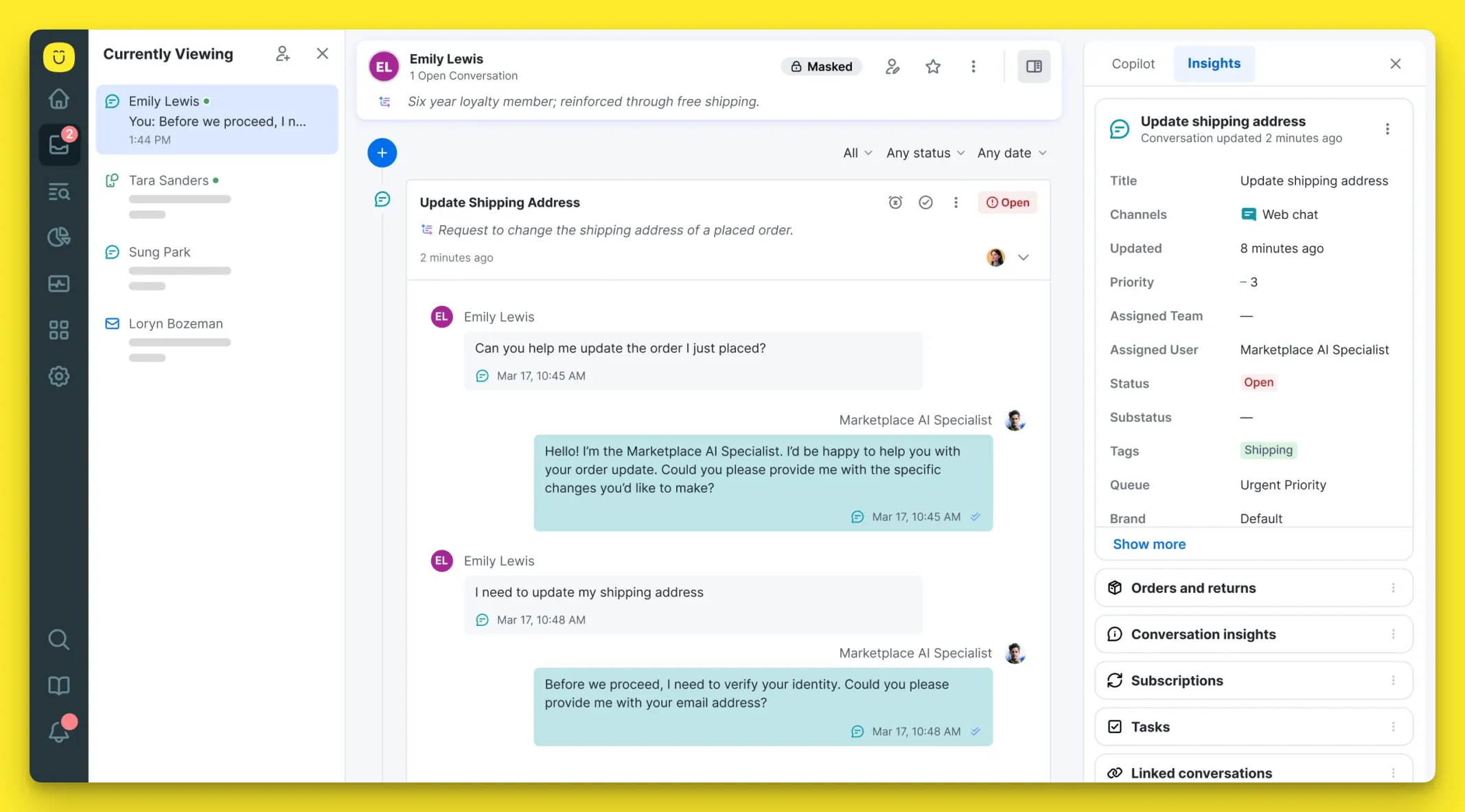
Kustomer approaches support from a customer record-first perspective. The feature set reflects that shift.
Instead of focusing purely on tickets, Kustomer centers everything around conversations and data:
- Unified customer timeline: every email, chat, social message, order update, and note lives inside one persistent customer profile. Agents see the full history without switching views. This becomes useful when multiple agents have to talk to the same customer as they can do this without annoying them or asking repeat questions.
- Conversation-based workflow automation: routing, prioritization, and status changes are triggered by customer attributes and behavior, not just ticket fields. This allows for more dynamic automation across the customer journey. If the AI agents registers that the customer's sentiment is changing towards the negative, they can escale the ticket to an agent instead of causing even more damage.
- Custom objects and data modeling: you can create and link custom objects to customers, such as subscriptions, orders, or cases. This makes Kustomer attractive for e-commerce and subscription brands that want to skip using multiple tools and add-ons.
- Built in messaging and social support: strong focus on modern channels like Instagram, WhatsApp, and Facebook Messenger, with context preserved across conversations. If you need one customer service software for handling all channels but the data stays in one central dashboard, Kustomer can give you just that.
- AI for Customers add on: AI can handle conversations directly, escalate when needed, and pull in customer data during interactions. Pricing is usage-based at $0.60 for an engaged conversation. This can get very expensive if you depend on AI capabilities for resolving most issues.
- CRM style reporting: analytics are tied to customers and conversations rather than just ticket metrics, giving teams insight into lifetime value, repeat contacts, and behavior patterns. If you don't already have a strong CRM preference, this can help you optimize operations and sales without investing.
Kustomer's strongest sides are the context and flexibility. It is less about managing tickets efficiently and more about managing relationships across channels with automation layered on top.
The ease of use
Zendesk has had years to polish its interface, and it shows.
The core ticketing experience is structured and predictable. Agents can quickly learn how to manage tickets, apply macros, switch between channels, and use views to stay organized. For teams coming from traditional help desks, the learning curve is relatively easy.
That said, ease of use depends heavily on how complex your setup is. Once you start layering in multiple channels, custom fields, automation rules, knowledge base connections and AI features, the backend can feel dense. Admins often need time to configure triggers, routing logic, and reporting properly.
For day-to-day agents, Zendesk is intuitive. For administrators building advanced workflows, it can take real onboarding effort to get everything running smoothly with a unified customer view and true self service options.
Kustomer feels different from the start because it does not revolve around tickets.
The unified customer timeline is visually clean and makes it easy to understand the full conversation history without jumping between tabs. For teams that prioritize context, this layout can feel more natural.
However, Kustomer's workflow automation and object based data model can require more upfront setup. You are not just configuring queues and macros; you are defining how customer data behaves inside the system. That power is useful, but it may slow down implementation if you do not have technical resources available.
For agents that handle conversations, the interface is modern and focused with relevant customer context. For admins designing complex automations, there is a steeper initial learning curve compared to a basic ticketing tool.
Pricing tiers and plans
When you look at pricing plans from a distance, it can seem like Zendesk is very affordable, while Kustomer has a high starting price point. But once you start crunching numbers, the situation isn't so clear-cut.
Zendesk has affordable entry-level pricing at $19 per user per month
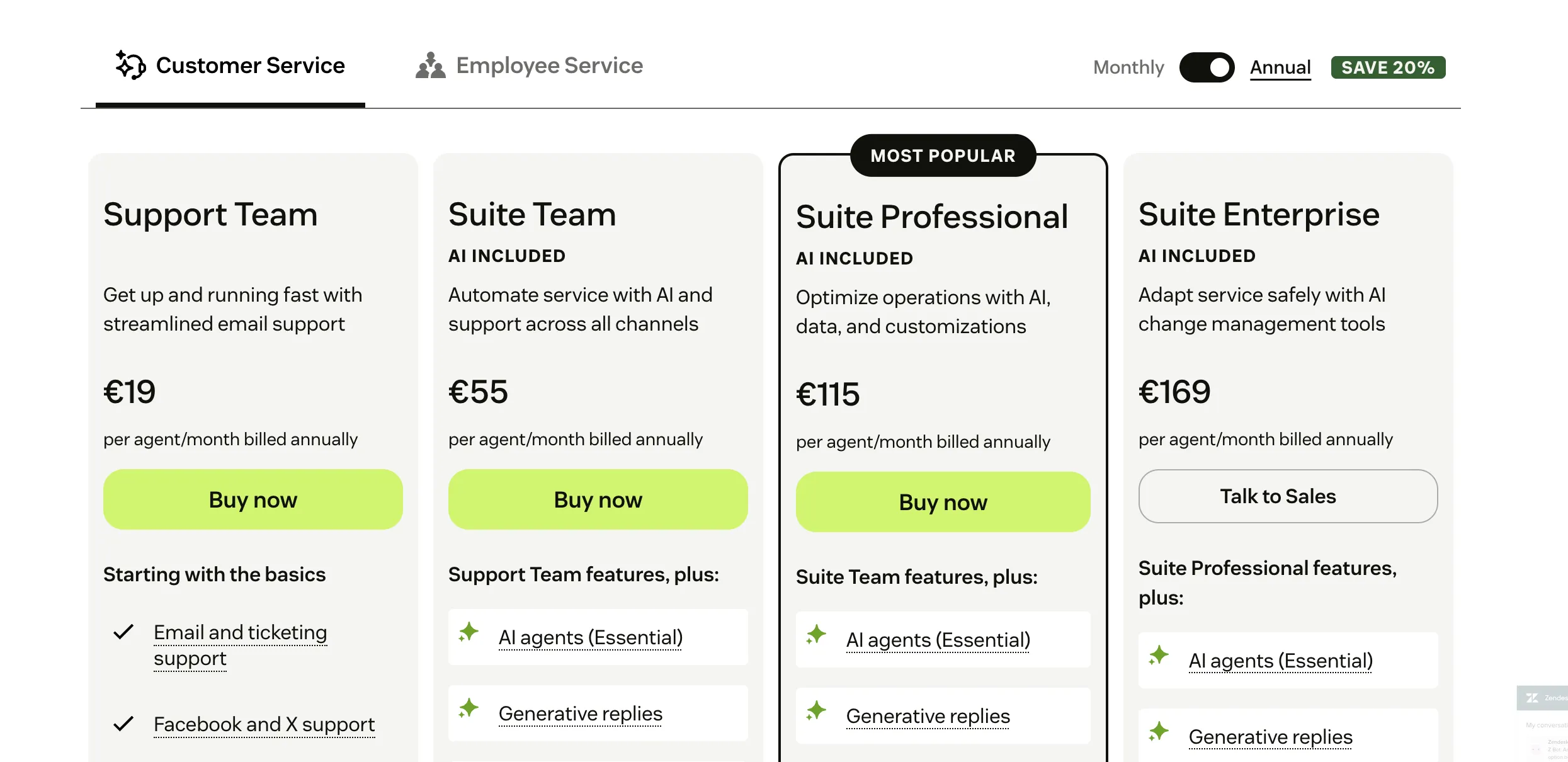
Support teams love Zendesk pricing because at just $19 per agent, you get access to all the basic tools for managing customer interactions. Email and ticketing system, Facebook and X support, conversation history and customer data, ticket routing and pre-built analytics dashboards are there.
The problem is that AI agents are included in the Suite Team plan, which starts at $55 per month, significantly ramping up your minimum investment. The even bigger problem? This plan includes Essential AI agents, which, according to Zendesk, resolve about 30% of customer issues.
To get the true Zendesk AI experience, you need Advanced AI agents, which come as a paid add-on and unlock:
- Scripted conversation flows
- Generative procedures
- Full API access and orchestration
- Advanced analytics
With Advanced agents, you're charged per resolved customer conversation, which can easily get you into the realm of thousands of dollars per month. Advanced Agent pricing is not public, so you'll have to reach out to get a quote.
Kustomer has enterprise-focused pricing starting at $89 per agent per month
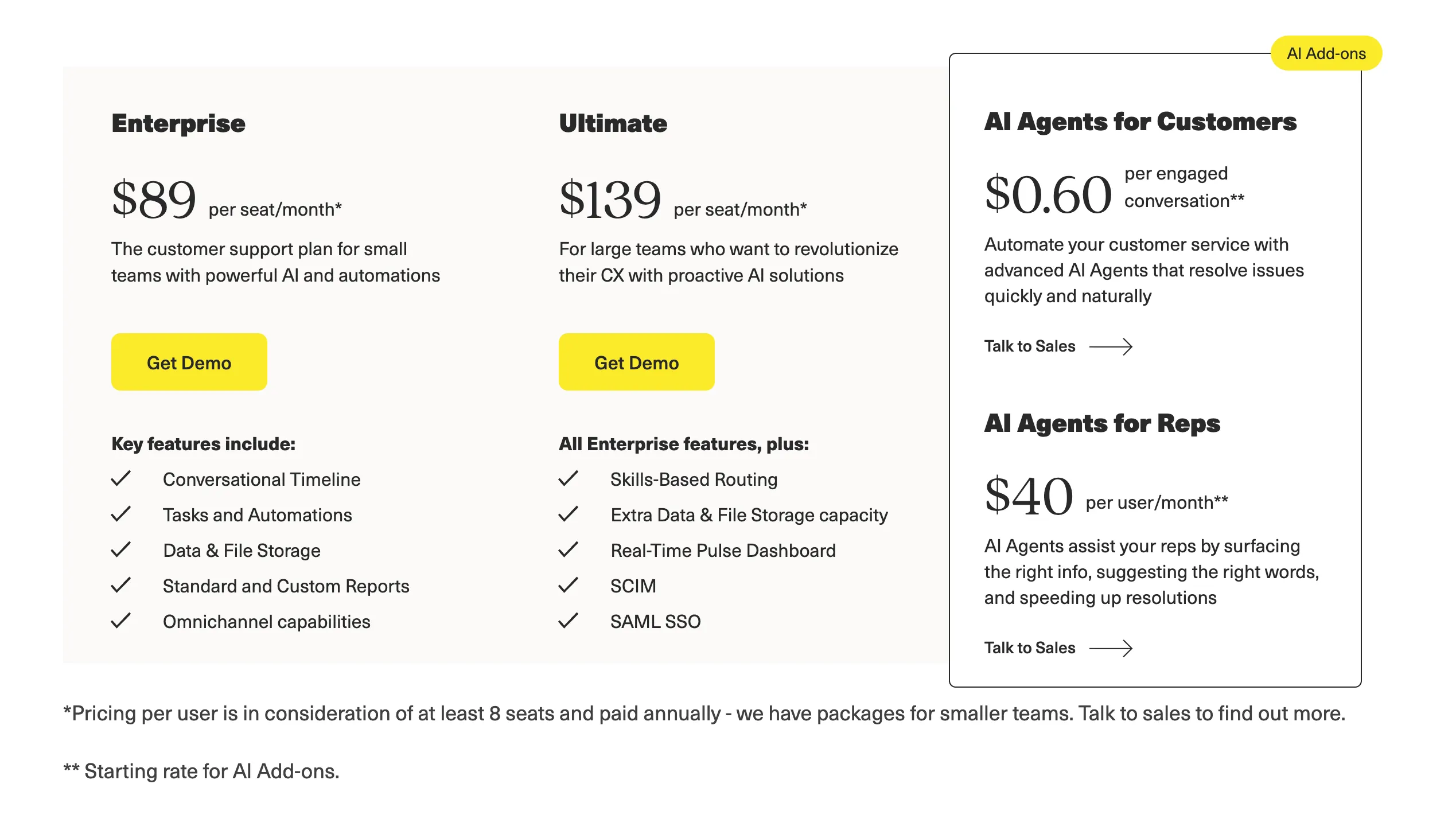
The gloves are off with Kustomer, who call their entry-level plan Enterprise and gives it a sticker of $89 per user per month. That's until you read the fine print and see that you need a minimum of 8 seats, and $89 is the price when paying annually.
For smaller teams and monthly pricing, you have to talk to sales, and the price tag probably goes up.
The step up is called Ultimate at $139 per user per month.
What's in each plan? You'll have to talk to sales because the feature comparison isn't on the website.
Then there is the AI add-on called AI for customers, where you pay $0.60 for each engaged conversation. Unlike Zendesk, the number is transparent, and while it's lower than some competitors (e.g. Intercom's Fin), it's still quite pricey.
Bottom line: all things considered, Zendesk and Kustomer have similar price points if you want the advanced automation and AI features. Neither tool has fully transparent pricing and a lot of details depend on the features you need and the number of AI self-service options you need.
AI features
If you want just the bare-bones features, this section won't interest you at all. However, both tools have really strong AI feature sets that can lift the weight from your CS team and increase customer satisfaction.
Zendesk: layered AI across the support stack
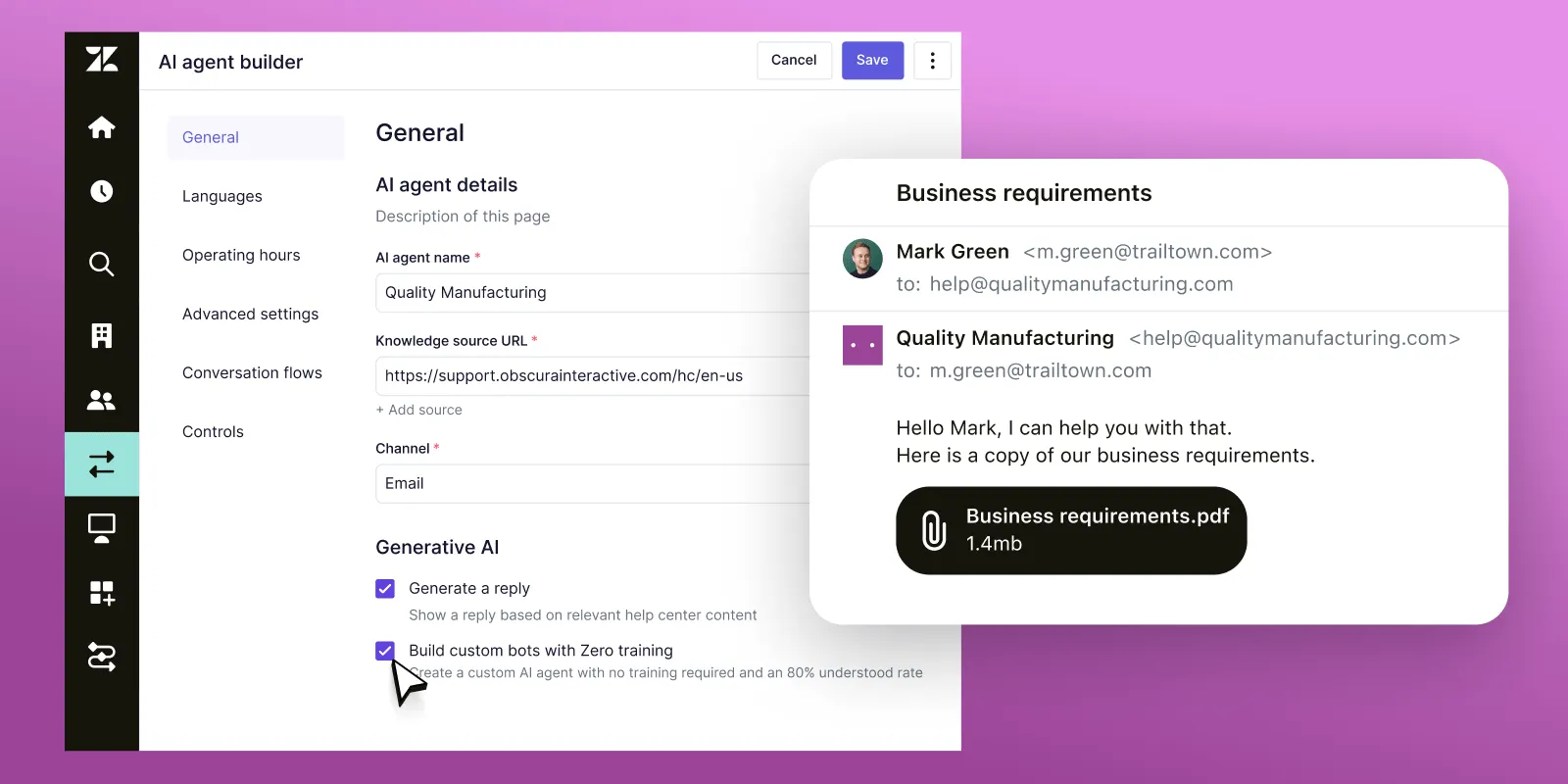
Zendesk distributes AI across bots, agent tools, routing, and analytics. The depth depends on your tier and add-ons, but at the advanced level, this is what you are working with:
- AI agents for customer-facing conversations: bots can resolve common requests, answer questions from the Zendesk knowledge base, and escalate to a human when confidence drops.
- Intent detection and auto classification: incoming tickets are automatically tagged and categorized based on language and historical patterns, improving routing accuracy.
- Suggested replies and ticket summaries: agents receive AI-generated response drafts and condensed summaries of long threads to reduce handling time.
- Generative procedures: AI can guide customers through structured troubleshooting steps, dynamically adapting responses based on inputs.
- Advanced orchestration and API access: enterprise teams can connect AI agents to backend systems to trigger actions such as refunds, status updates, or account changes.
Zendesk's advantage is coverage across the entire support workflow. The limitation is that serious automation typically requires higher plans and usage-based AI pricing.
Kustomer: conversation-driven AI tied to customer data
Kustomer's AI is built around its unified customer timeline. Automation is deeply connected to customer records rather than just ticket content.
Core AI capabilities include:
- AI for Customers automation: handles inbound conversations directly, resolves routine inquiries, and hands off to agents with full conversation context intact.
- Data aware responses: AI can reference order history, subscription details, and previous interactions when generating replies.
- Workflow integrated automation: conversation signals and customer attributes can trigger backend workflows automatically.
- Confidence-based escalation: when uncertainty or customer frustration is detected, the system routes the conversation to a human agent.
- Usage-based AI pricing model: AI is billed per engaged conversation, which makes forecasting clearer but can become expensive at higher volumes.
Kustomer's strength is contextual depth. If your support relies heavily on customer data and cross-channel visibility, its AI feels tightly connected to the underlying CRM structure.
Which one should you get in 2026?
Choosing between Zendesk and Kustomer comes down to how your team works and what problems you are trying to solve. Both platforms are capable, but they emphasize different priorities when it comes to workflows, context, and automation.
Get Zendesk if:
- You want a proven ticketing and support platform with broad industry adoption
- You need a large ecosystem of integrations and third party apps
- Structured reporting and workforce management are important to your operation
- Your support team handles high ticket volumes with clear routing requirements
- You prefer a more traditional support interface that agents can learn quickly
Get Kustomer if:
- You want every conversation tied to a unified customer record with full context
- Your brand relies on modern messaging channels like WhatsApp or social platforms
- Deep workflow automation based on customer attributes is a priority
- You operate in e-commerce or subscription-based business models where data drives decisions
- You prefer CRM style visibility instead of conventional ticket queues
The problems come when you're not yet big enough where you can afford the costs of Zendesk and Kustomer. And we're not just talking about money, but also the implementation, maintenance and the cost of scaling when you add team members or new customers.
This is where Featurebase comes in. 👇
Try Featurebase - The modern alternative to Zendesk and Kustomer ✨
If neither Zendesk nor Kustomer feels quite right (too expensive, too complex, or too enterprise-focused for where your team is today), there's a modern alternative worth checking out.
Featurebase is a modern AI customer support platform for product-led SaaS (👋 that's us). It combines an AI-powered omnichannel inbox, help center, and feedback management into a single platform, so your team gets the essentials of Zendesk-style ticketing and Kustomer-style customer context without the add-on creep or seat minimums. It's loved by thousands of support teams at companies like Lovable, Raycast, and n8n. 💫
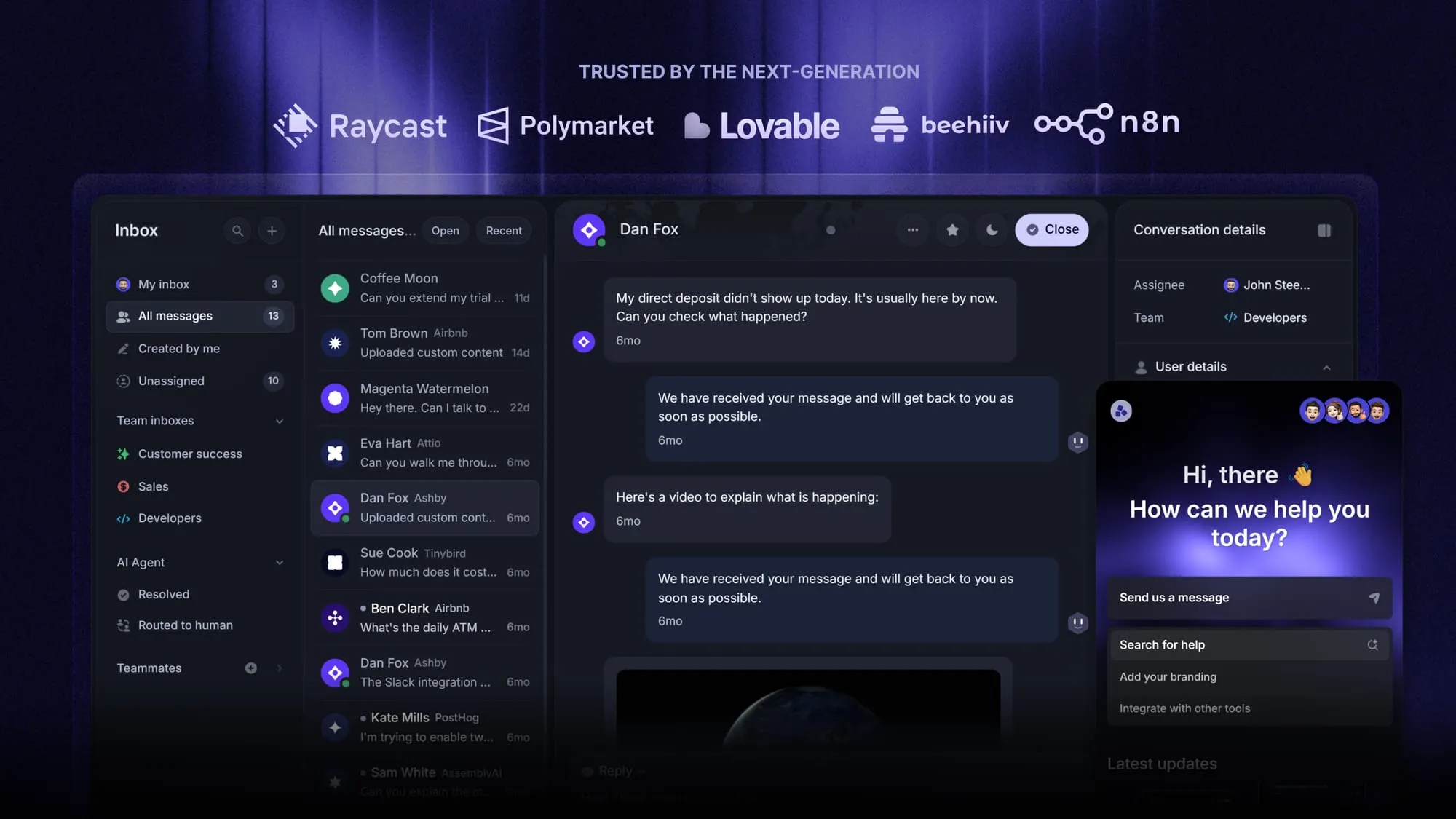
Top features:
- Omnichannel inbox – Manage live chat, email, and Slack conversations from one AI-powered view
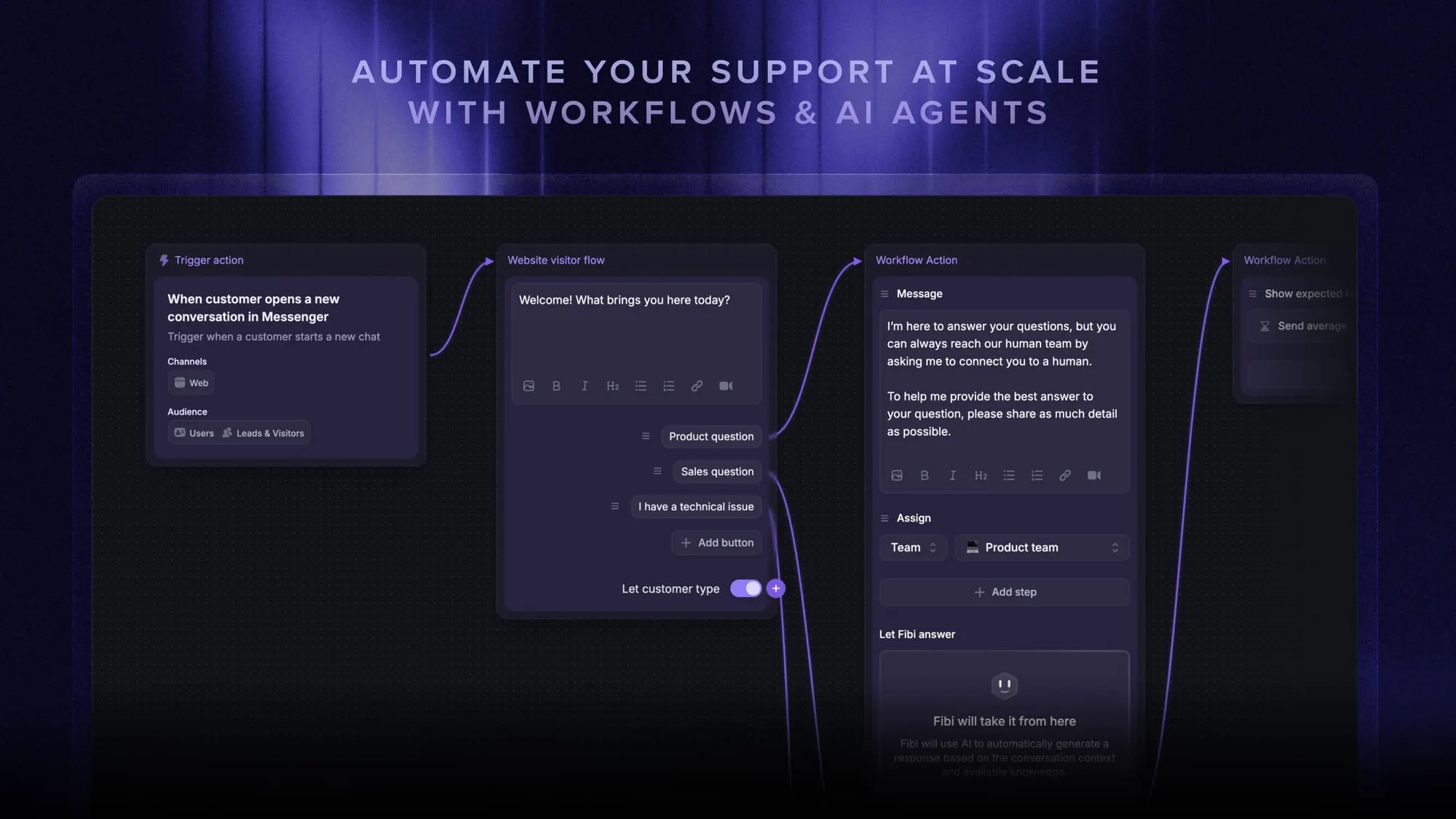
- Fibi AI Agent – Resolve customer issues on autopilot & run custom actions like trial extensions and refunds
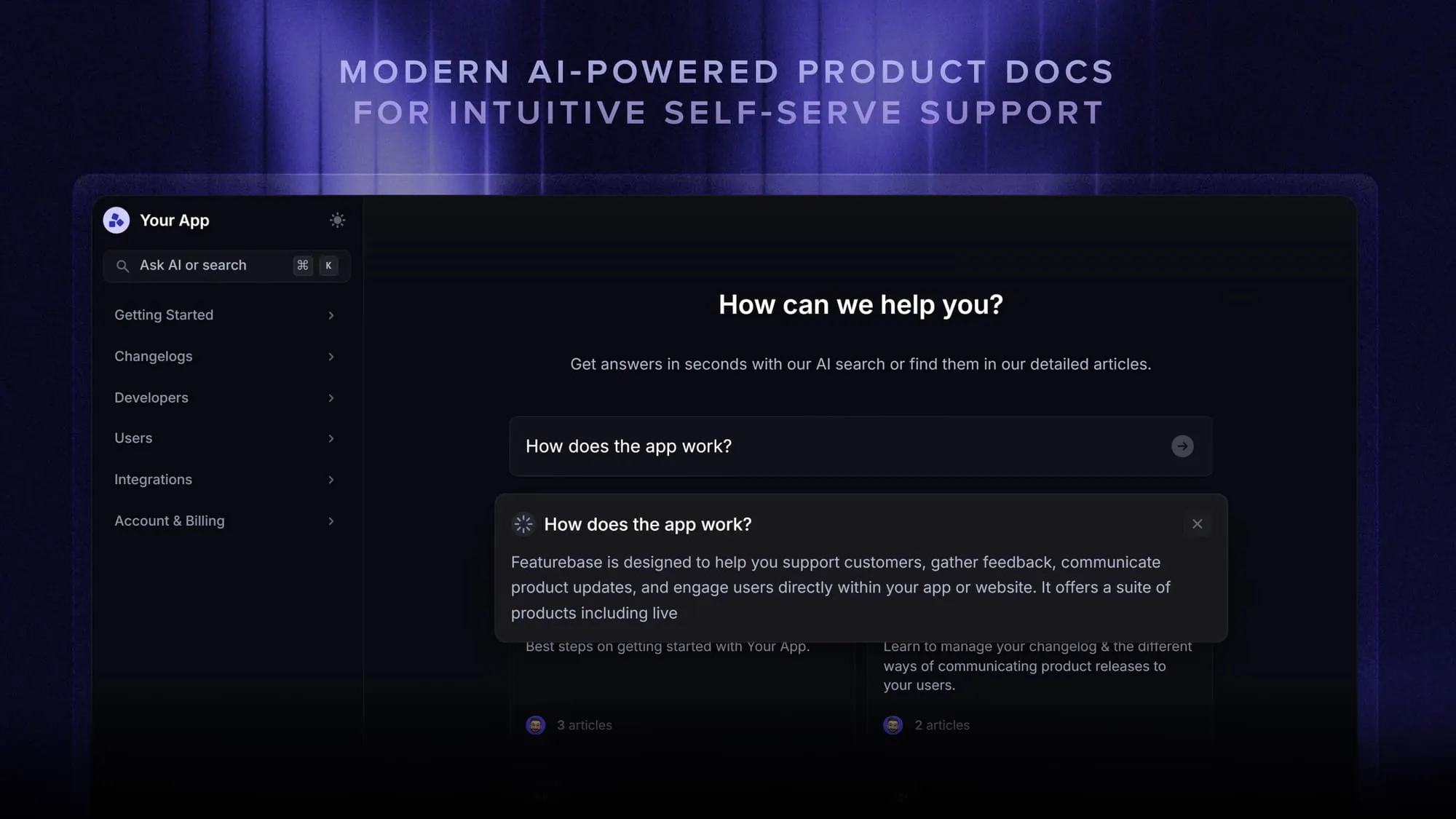
- Help center with AI search – Provide instant, multilingual self-serve answers
- Workflows & automations – Auto-assign tickets, route conversations, collect customer data, and more
- AI Copilot – Help your agents answer customers faster with AI Copilot that uses your internal knowledge
- Service Level Agreements – Track SLAs to make sure your team responds to customers on time, every time
- Feedback & roadmap tools – Collect feature requests and close the loop with updates
- Integrations – Connects with Slack, Linear, Jira, HubSpot, and more
Pricing: Free plan available with unlimited conversations. Paid plans start at $29/seat/month with $0.29 per AI resolution, a fraction of what Zendesk and Kustomer cost at scale.
Unlike Zendesk and Kustomer, Featurebase has a Free plan you can try first. Setup takes minutes and doesn't require a credit card, so there's no downside to trying it. 👇
Switch from Zendesk & Kustomer to get the fastest AI-powered support platform
More reading:
- Best Zendesk alternatives
- Best Kustomer alternatives
- Zendesk vs Featurebase
- Kustomer vs Featurebase
- Zendesk vs Intercom
- Zendesk vs HubSpot
- Zendesk vs Help Scout
- Zendesk vs Jira
- Zendesk vs Crisp
- Zendesk vs Freshdesk
- Zendesk vs Salesforce
- Zendesk vs Zoho
- Zendesk vs Kayako
- Zendesk vs Tidio
- Zendesk vs Freshdesk vs Zoho