Blog Customer Service12 Best Omnichannel Customer Experience Software in 2026
12 Best Omnichannel Customer Experience Software in 2026
Compare the 12 best omnichannel customer experience software platforms for 2026, with pricing, best-fit use cases, and honest trade-offs to help you choose.



✨ Automate your support with the fastest AI-enhanced Inbox today →
Your customers don't think in channels. They start a chat, follow up by email, then send a DM, and they expect whoever picks it up to already know the story.
When your tools can't carry that context, customers repeat themselves, agents lose the thread, and satisfaction drops. Omnichannel customer experience software fixes that by pulling every touchpoint into one connected view.
Below, I've ranked 12 platforms by who they actually fit best, with real pricing and the trade-offs nobody puts on their sales page. 👇
Key takeaways:
| Tool | Best for | Starting price | Free plan |
|---|---|---|---|
| ✨Featurebase | Modern SaaS teams that want support and feedback in one | Free, paid plans starts at $29 seat/mo | Yes |
| Zendesk | Large teams needing a mature, extensible CX suite | $19/agent/mo | Trial only |
| Intercom | Product-led SaaS wanting AI-first in-app messaging | $19/seat/mo billed annually ($29 monthly) + $0.99 per Fin outcome | Trial only |
| Freshdesk | Growing teams that want affordable omnichannel ticketing | Free / $19/agent/mo | Yes (2 agents) |
| Sprinklr | Enterprises with heavy social and digital volume | Custom | No |
| Salesforce Service Cloud | Enterprises already living in Salesforce CRM | $25/user/mo | Trial only |
| Gorgias | Ecommerce brands on Shopify and BigCommerce | $50/mo | Trial only |
| HubSpot Service Hub | Teams already using the HubSpot CRM suite | Free / $20/seat/mo | Yes |
| Zoho Desk | Budget-conscious SMBs in the Zoho ecosystem | $14/agent/mo | Yes |
| Help Scout | Small teams wanting a simple, inbox-style helpdesk | $20/user/mo | Trial only |
| Kustomer | High-volume B2C support built on a CRM timeline | Custom | No |
| Tidio | Small ecommerce stores wanting live chat and AI | Free / $29/mo | Yes |
What is omnichannel customer experience software?
Omnichannel customer experience software connects every channel a customer uses - live chat, email, social, phone, self-service - into one system with a single, shared view of each customer.
The point isn't just to offer more channels. It's continuity. A customer can start an interaction on your website, switch to email overnight, and pick up in-app the next morning without ever re-explaining themselves. Every agent, bot, and workflow sees the same history.
That continuity has real business weight. Zendesk's CX Trends research found that 70% of consumers expect anyone they interact with to have the full context of the conversation, and the same research links omnichannel maturity to performance: 50% of high-performing companies had adopted omnichannel support, compared with just 18% of low performers.
True omnichannel vs disguised multichannel
This is the distinction that trips up most buyers. The two words get used interchangeably, but they describe very different setups:
- Multichannel: The tool offers several channels, but each one runs as its own silo. Email, chat, and social live in separate queues, so context doesn't travel and customers repeat themselves.
- Omnichannel: Every channel feeds one unified profile and conversation history. A handoff from chat to email keeps the full thread intact, and any agent can continue where the last one left off.
Plenty of platforms bolt extra channels onto an old ticketing core and call it omnichannel. The test is simple: start a conversation on one channel, move to another, and see whether it stays one thread or splits into separate tickets.
What to look for in an omnichannel CX platform
Once you've filtered for true omnichannel, these are the features that separate a platform that scales from one you'll outgrow:
- Unified customer profile: One real-time record per customer, pulling history and order data from every channel so agents never hunt across systems.
- AI and automation: AI agents that resolve common questions, plus routing and triage that move the whole conversation to the right person, not just the first ticket.
- Self-service and knowledge base: A searchable help center customers can use on any channel, ideally with AI search that answers in the widget.
- Deep integrations: Native connections to your CRM, ecommerce platform, Slack, and analytics so data stays in sync.
- Reporting across the journey: Metrics like CSAT, first-contact resolution, and handle time measured across the unified journey, not siloed per channel.
A platform like Featurebase, for example, unifies live chat, email, and Slack in one AI-powered inbox, so a conversation that starts in your product widget and continues over email stays a single thread. That unified-inbox foundation is the baseline every tool below should clear.
The 12 best omnichannel customer experience software for 2026
1. Featurebase ✨

Featurebase is a modern, AI-powered platform that brings customer support and feedback together in one place. Its omnichannel inbox unifies live chat, email, and Slack, while its AI-powered help center and Fibi AI Agent resolve common questions before they reach a human.
What makes it stand out for customer experience is the feedback side. Alongside support, you can collect and prioritize feature requests, run NPS and CSAT surveys, and close the loop with product updates, so the same tool that answers customers also captures what they want built next.
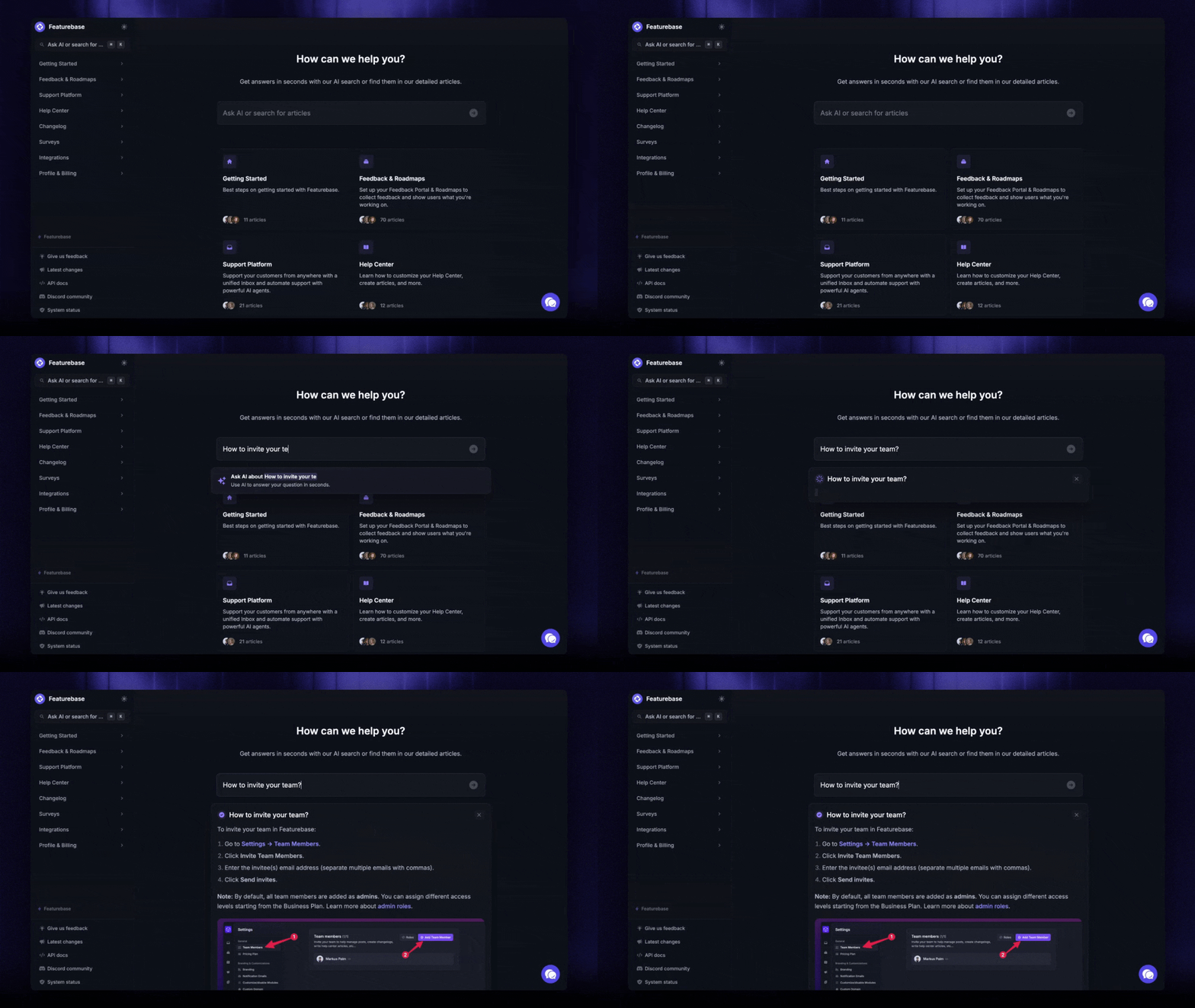
Best for: Fast-growing SaaS teams that want support and customer feedback in one modern platform rather than several disconnected tools.
Pricing: Free plan available, with paid plans starting at $29/seat/month. 👇

Give the best customer experience using Featurebase
Automatically resolve 70% of customer requests & cut down manual support loads
2. Zendesk
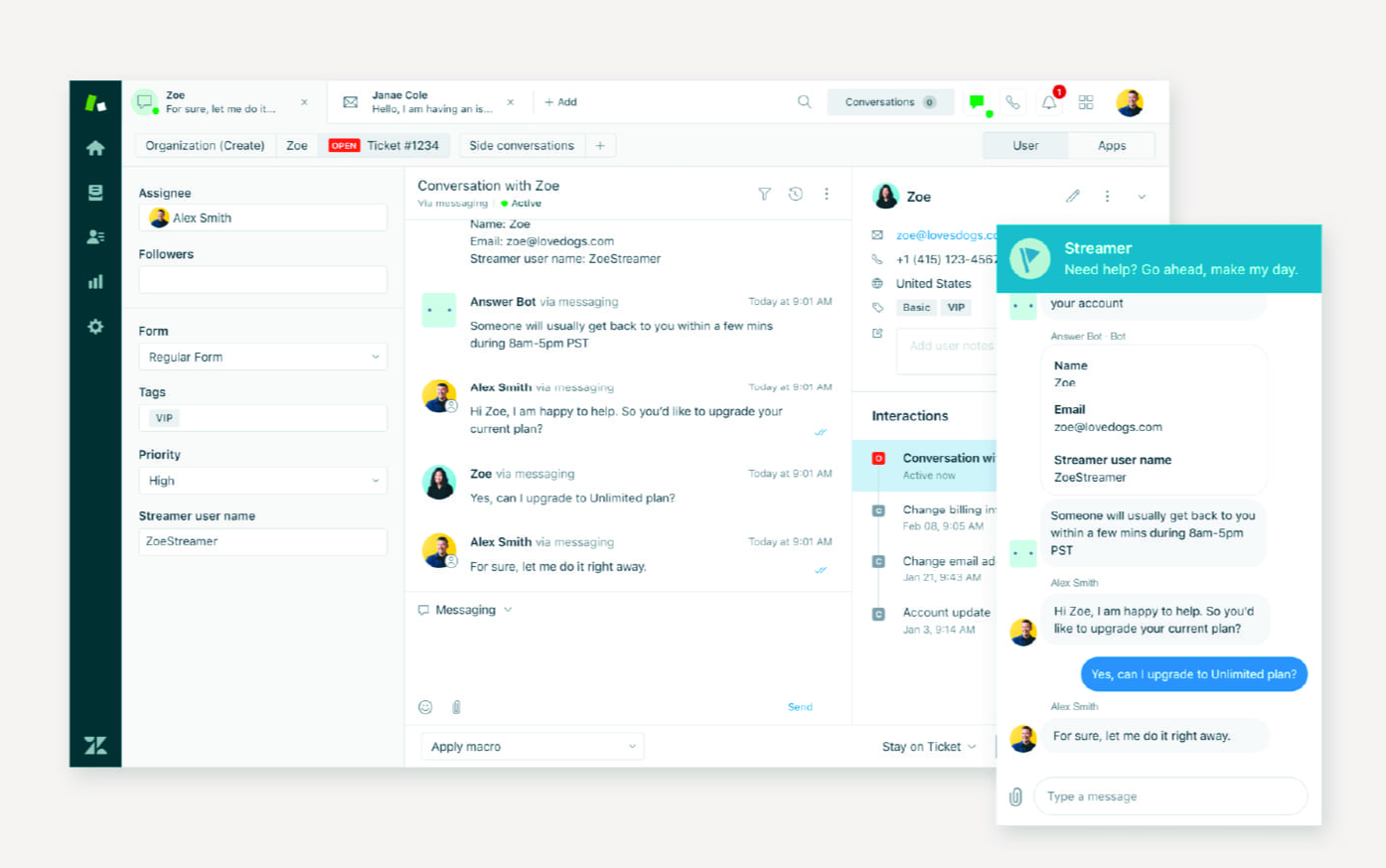
Zendesk is one of the best-known names in customer experience, and its Suite plans bundle ticketing, messaging, live chat, help center, and voice into a single omnichannel workspace.
Best for: Large or scaling teams that want a mature ecosystem with deep customization and enterprise-grade controls.
Key features:
- Omnichannel routing across email, chat, social, and voice
- AI agents and generative replies included on Suite plans
- 1,800+ marketplace apps and integrations
- Granular SLAs, audit logs, and compliance controls
Pricing: Zendesk pricing starts at $19/agent/month for the Support Team plan, with the omnichannel Suite plans running $55 (Suite Team) and $115 (Suite Professional) per agent per month.
The trade-off is cost and complexity. The jump between tiers is steep, texting and advanced omnichannel features sit on higher plans, and full setup often needs technical resources.
3. Intercom
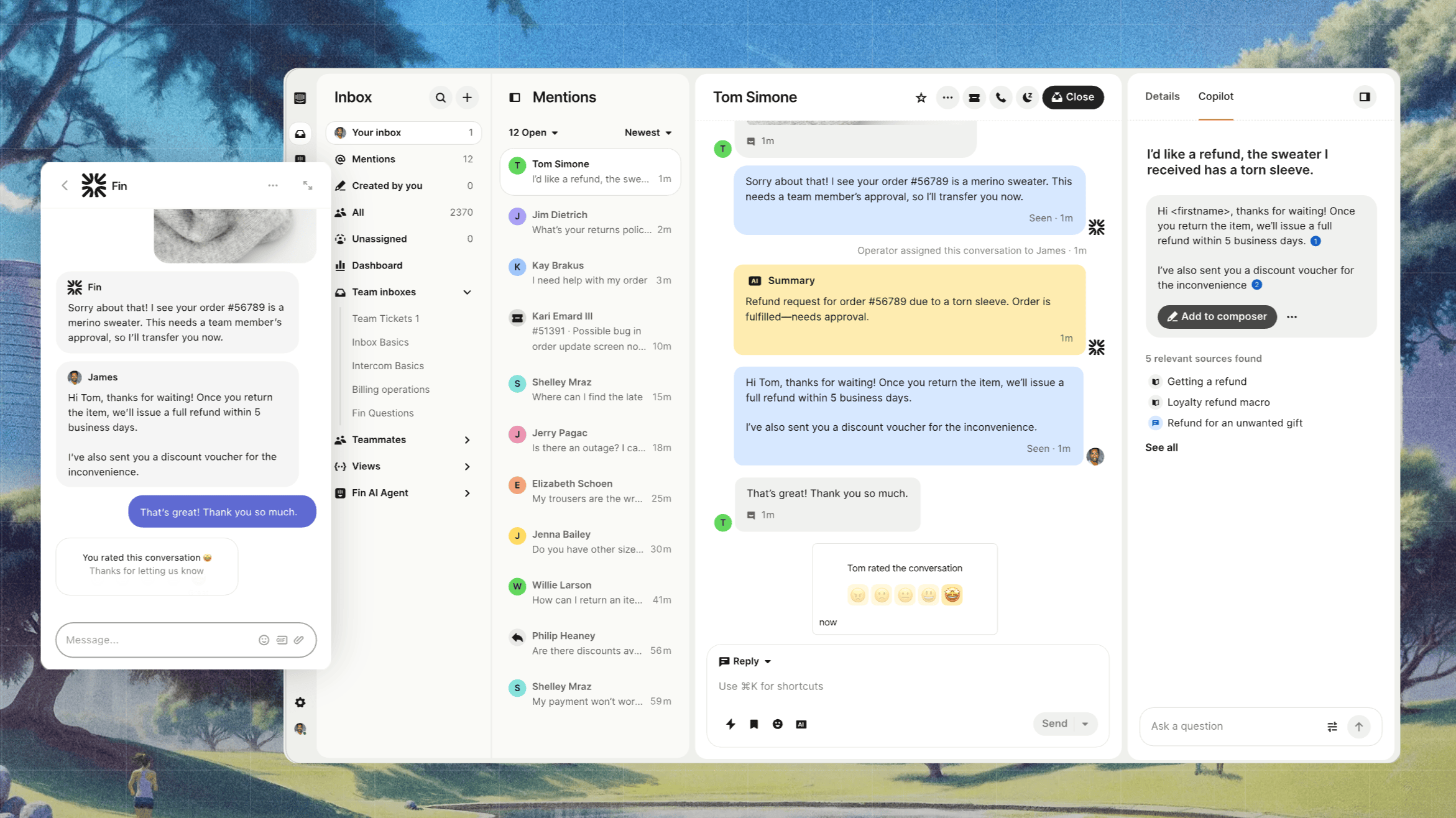
Intercom is a messaging-first platform built for product-led companies, pairing its Messenger with the Fin AI Agent to resolve conversations in-app.
Best for: SaaS teams that want AI-first, in-app customer experience over traditional ticketing.
Key features:
- Business Messenger for in-app chat, onboarding, and product tours
- Fin AI Agent that resolves conversations across channels
- Shared inbox, ticketing, and workflow automation
- Public and multilingual help center
Pricing: Intercom pricing starts at $19/seat/month for Essential billed annually ($29 billed monthly), plus $0.99 per Fin outcome. Advanced costs $85/seat/month and Expert costs $132/seat/month, billed annually.
Users love the modern interface and in-app engagement, but the usage-based pricing gets expensive at scale, and it leans more toward messaging than full cross-channel journeys.
4. Freshdesk
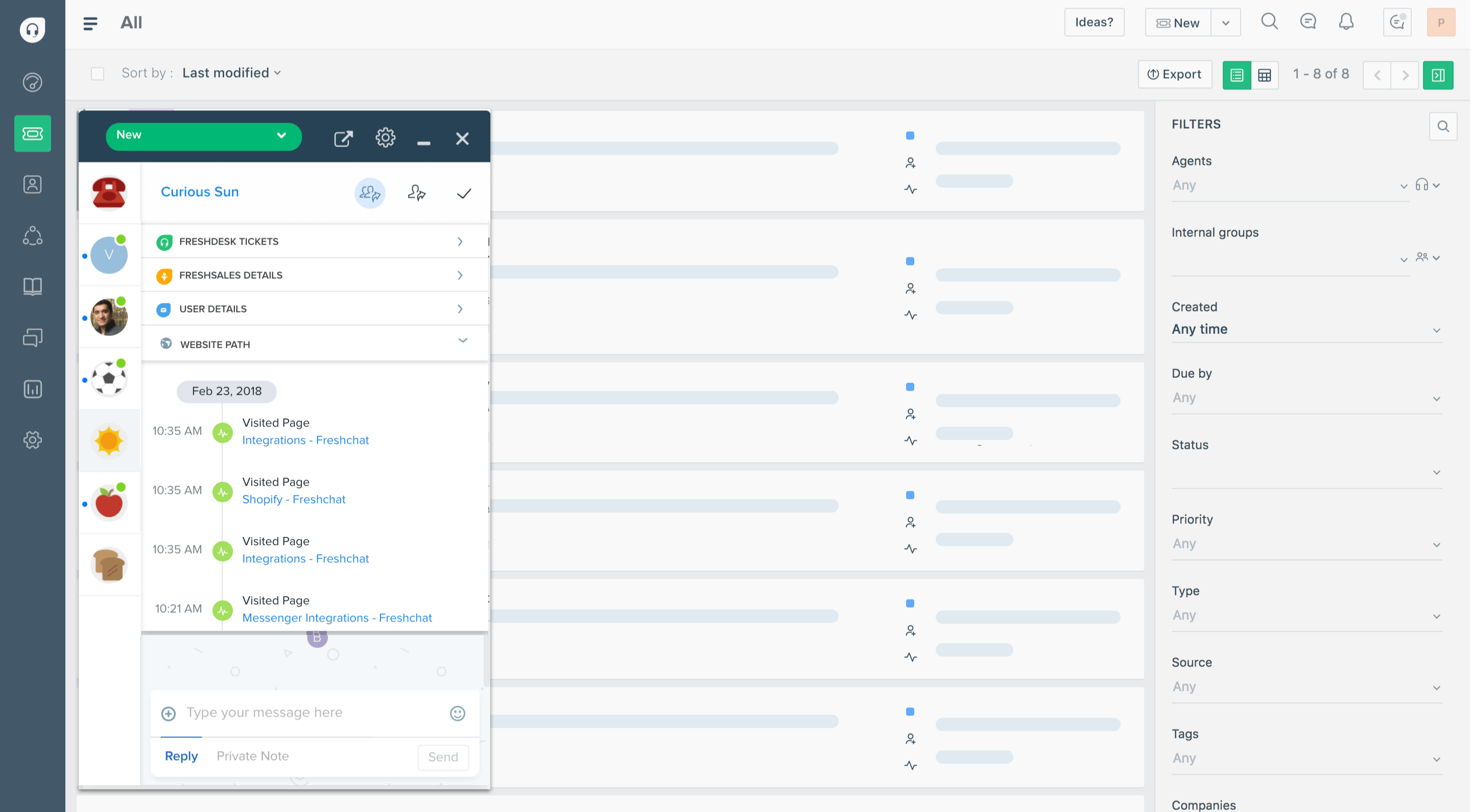
Freshdesk by Freshworks is a cloud helpdesk that consolidates email, chat, phone, and social ticketing, with the Freddy AI copilot layered on top.
Best for: Growing teams that want affordable omnichannel ticketing with a gentle learning curve.
Key features:
- Multichannel ticketing across email, chat, social, and phone
- Freddy AI copilot for reply drafting and ticket classification
- Self-service knowledge base and community forums
- Collision detection and shared team inboxes
Pricing: Freshdesk pricing includes a free plan for up to 2 agents, with paid plans starting at $19/agent/month (Growth), then $55 (Pro) and $89 (Enterprise).
It's easy to adopt, but the strongest omnichannel and analytics features sit on higher tiers, and AI agent sessions cost extra once you exhaust the free allowance.
5. Sprinklr
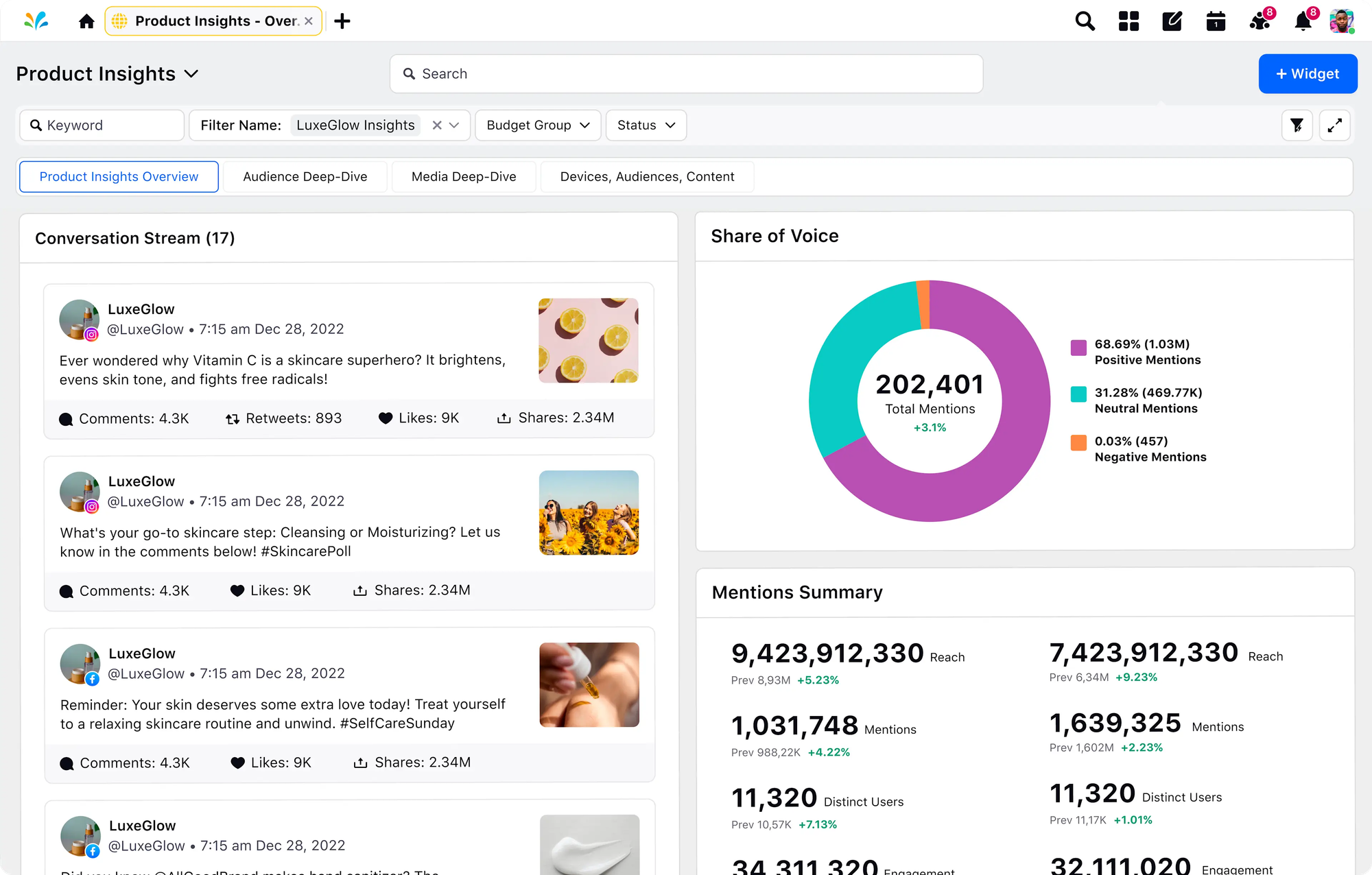
Sprinklr is an enterprise CX platform built for managing digital and social engagement at massive scale, unifying 30+ channels in one place.
Best for: Large brands with high social and media volume and complex digital engagement needs.
Key features:
- Unified inbox across 30+ social, messaging, and voice channels
- AI-powered sentiment analysis and case management
- Deep analytics and social listening
- Enterprise workflow automation
Pricing: Custom enterprise pricing only, quoted after a sales conversation.
Sprinklr is powerful for social-first CX, but reviewers consistently flag a steep learning curve, high onboarding cost, and an interface that can overwhelm new users.
6. Salesforce Service Cloud
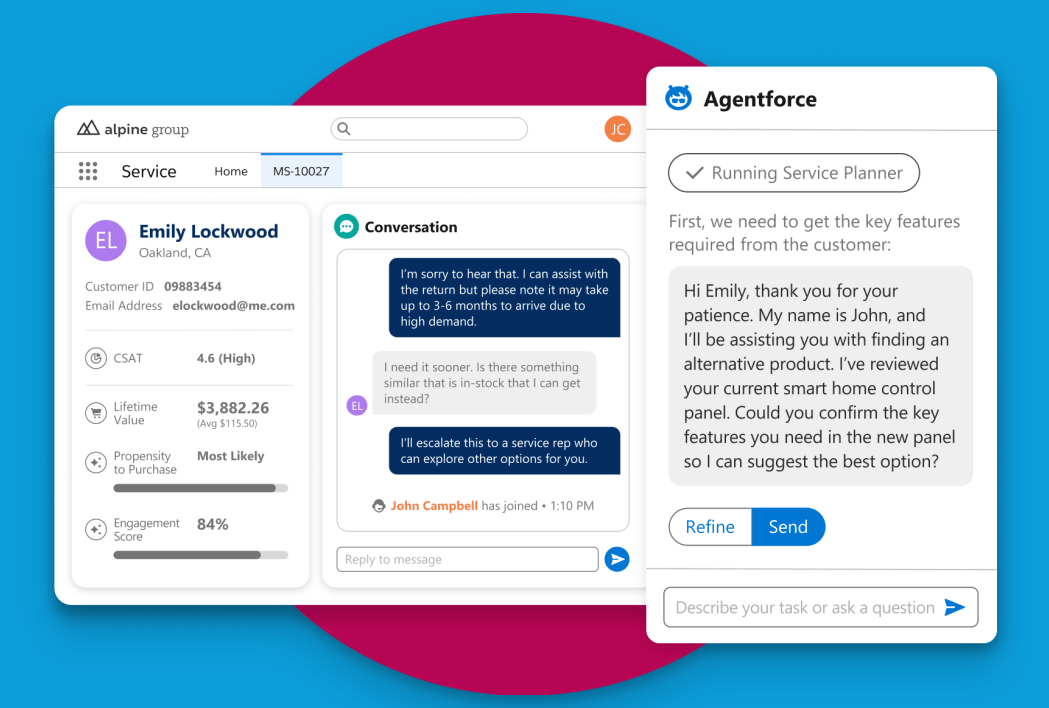
Salesforce Service Cloud is the service layer of the Salesforce ecosystem, offering omnichannel case management with deep ties to sales and marketing data.
Best for: Enterprises already running Salesforce that want customer experience tied directly to CRM.
Key features:
- Omnichannel routing and case management
- Einstein AI for case classification and predictive routing
- Knowledge management and self-service
- Extensive customization and partner ecosystem
Pricing: Salesforce Service Cloud starts at $25/user/month (Starter Suite), scaling up through Professional, Enterprise, and Unlimited tiers.
The CRM depth is unmatched, but setup is complex, the admin learning curve is real, and costs climb fast once you add the features most teams actually need.
7. Gorgias
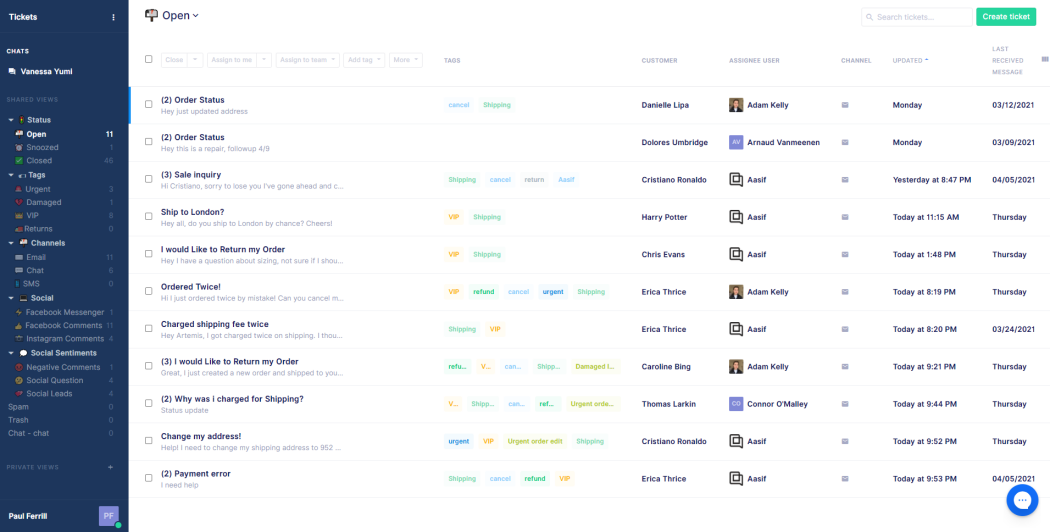
Gorgias is an AI-powered customer experience platform built specifically for ecommerce, unifying support conversations across channels with native store data.
Best for: Ecommerce brands on Shopify or BigCommerce that want support tied to order data.
Key features:
- Unified inbox for email, chat, social, and SMS
- Native Shopify, BigCommerce, and Magento integrations
- AI automation that resolves and routes tickets
- Order data and customer history alongside every conversation
Pricing: Gorgias pricing starts at $50/month on the Basic plan, with tiers billed by monthly ticket volume rather than seats.
The ecommerce focus is a genuine strength, but the ticket-based pricing scales hard for high-volume stores, and setup can feel overwhelming at first.
8. HubSpot Service Hub
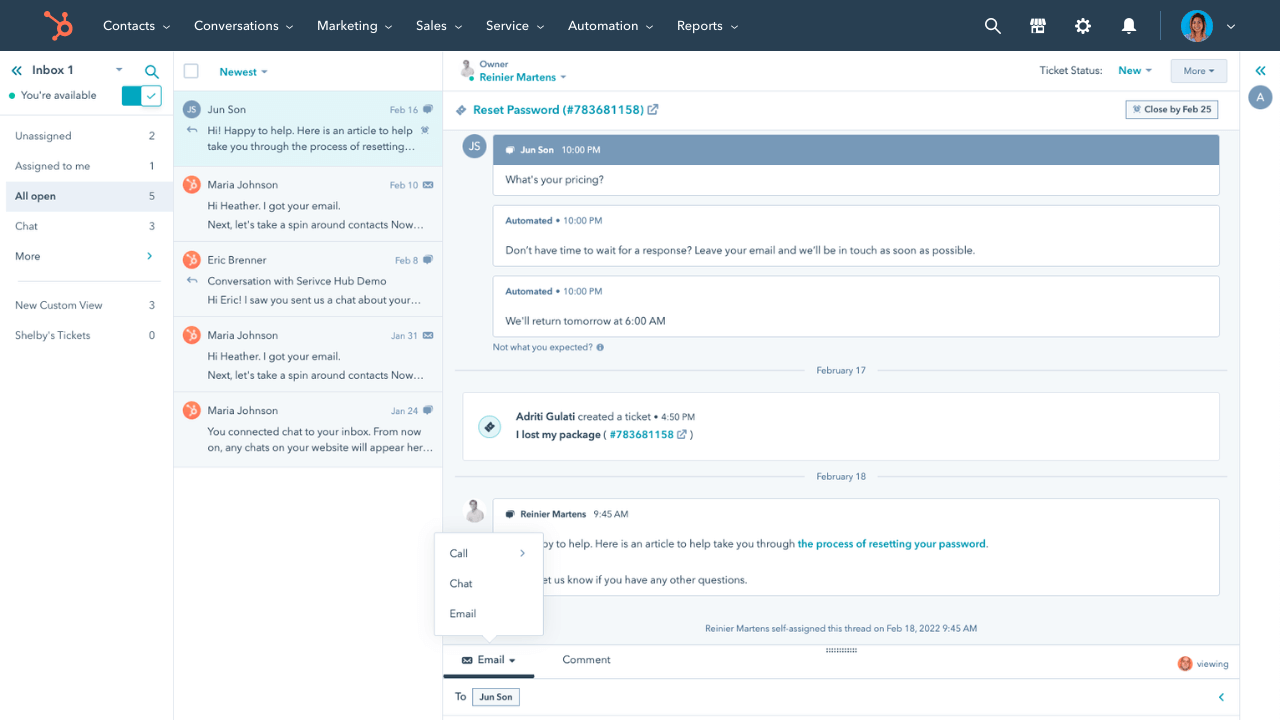
HubSpot Service Hub is the customer service layer of HubSpot's CRM suite, built to manage support, feedback, and engagement in one connected system.
Best for: Small to mid-sized teams already invested in HubSpot's CRM.
Key features:
- Shared inbox and ticketing
- Customer portal and knowledge base
- Automation workflows and SLAs
- Native sync with HubSpot marketing and sales
Pricing: HubSpot pricing offers a free tier, with paid plans starting at $20/seat/month (Starter) and $100/seat/month (Professional).
The CRM sync and ease of use are strong selling points, but omnichannel support beyond email and chat is limited, and costs rise quickly as you scale seats.
9. Zoho Desk
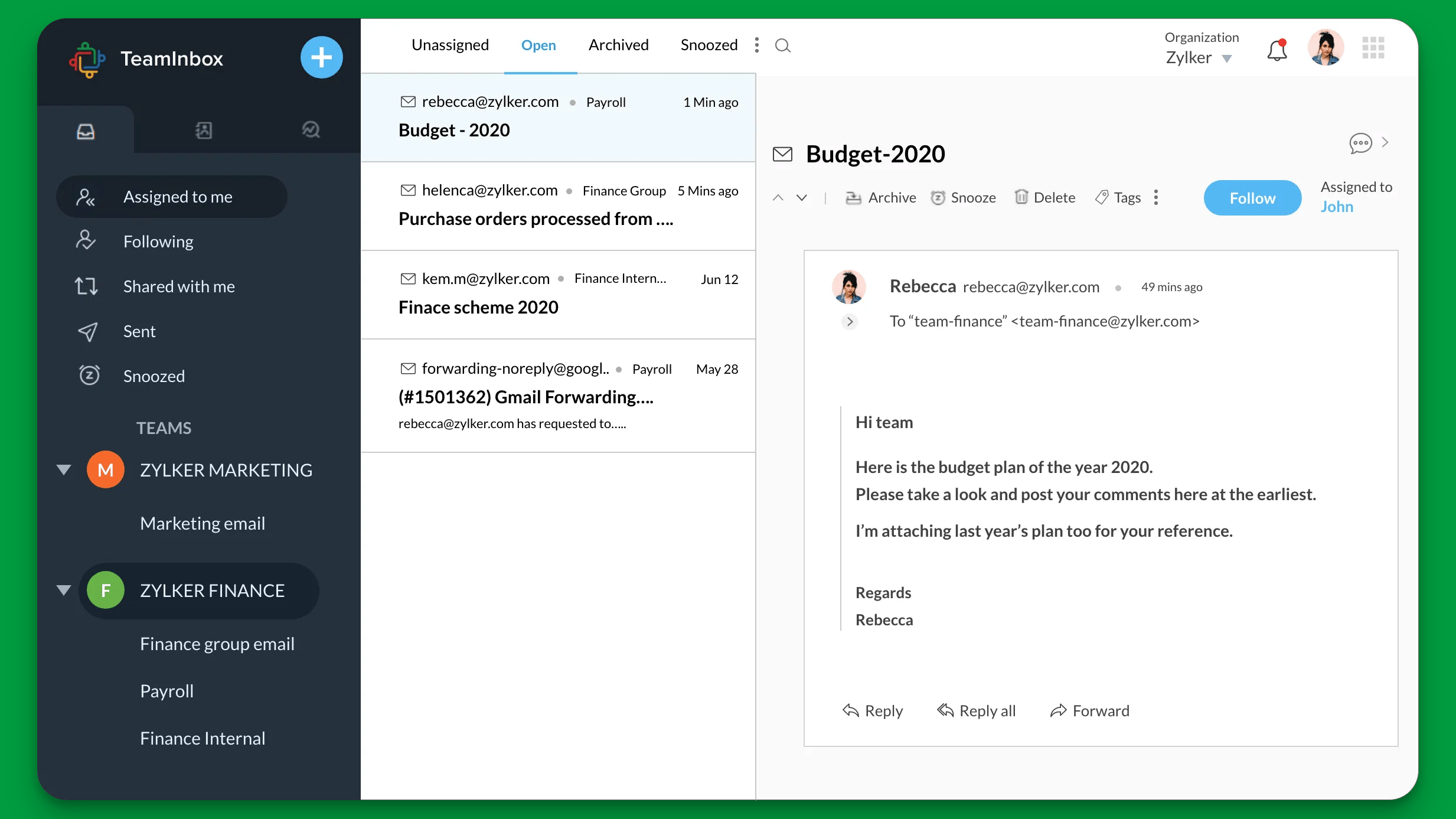
Zoho Desk is a helpdesk platform with strong automation, especially valuable for teams already using other Zoho apps.
Best for: Budget-conscious SMBs that want a customizable helpdesk without enterprise pricing.
Key features:
- Multichannel ticketing across email, social, and chat
- Zia AI for sentiment analysis and auto-tagging
- Multi-brand help center and community forums
- Automation for assignment, SLAs, and notifications
Pricing: Zoho Desk pricing includes a free plan, with paid tiers starting around $14/agent/month (Standard).
It's affordable and customizable, but the interface feels dated to some users, and the deepest customization is locked to enterprise tiers.
10. Help Scout
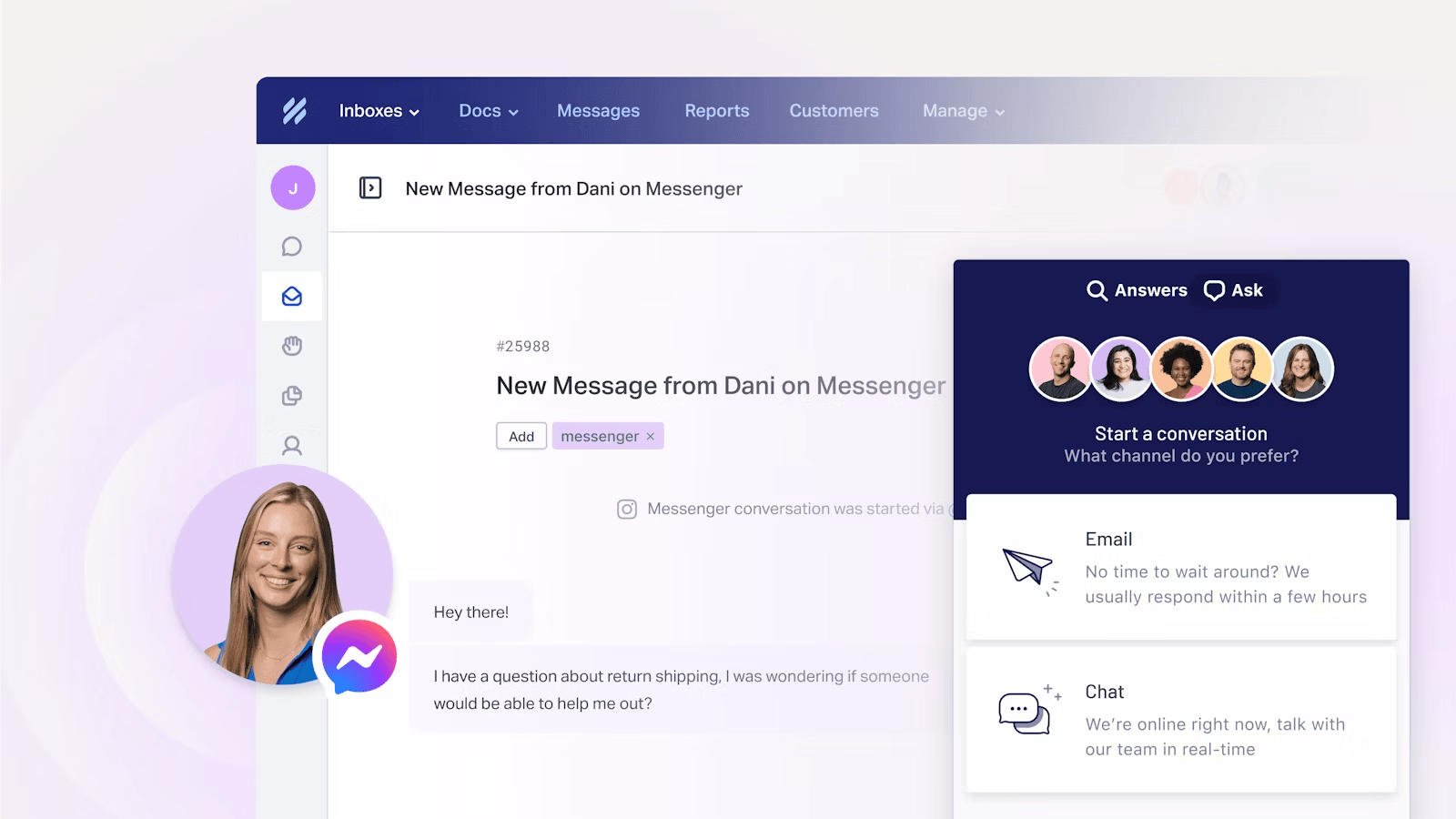
Help Scout unifies customer conversations into a clean, inbox-style workspace that's fast to set up and easy on the eyes.
Best for: Small teams that want a simple, human helpdesk without a steep learning curve.
Key features:
- Shared inbox with email and live chat
- Knowledge base and self-service docs
- AI drafting and summaries
- 50+ integrations and reporting
Pricing: Help Scout pricing starts around $20/user/month on the Standard plan.
The clean UX and affordability win fans, but larger teams may hit limits on enterprise-grade customization and advanced routing.
11. Kustomer
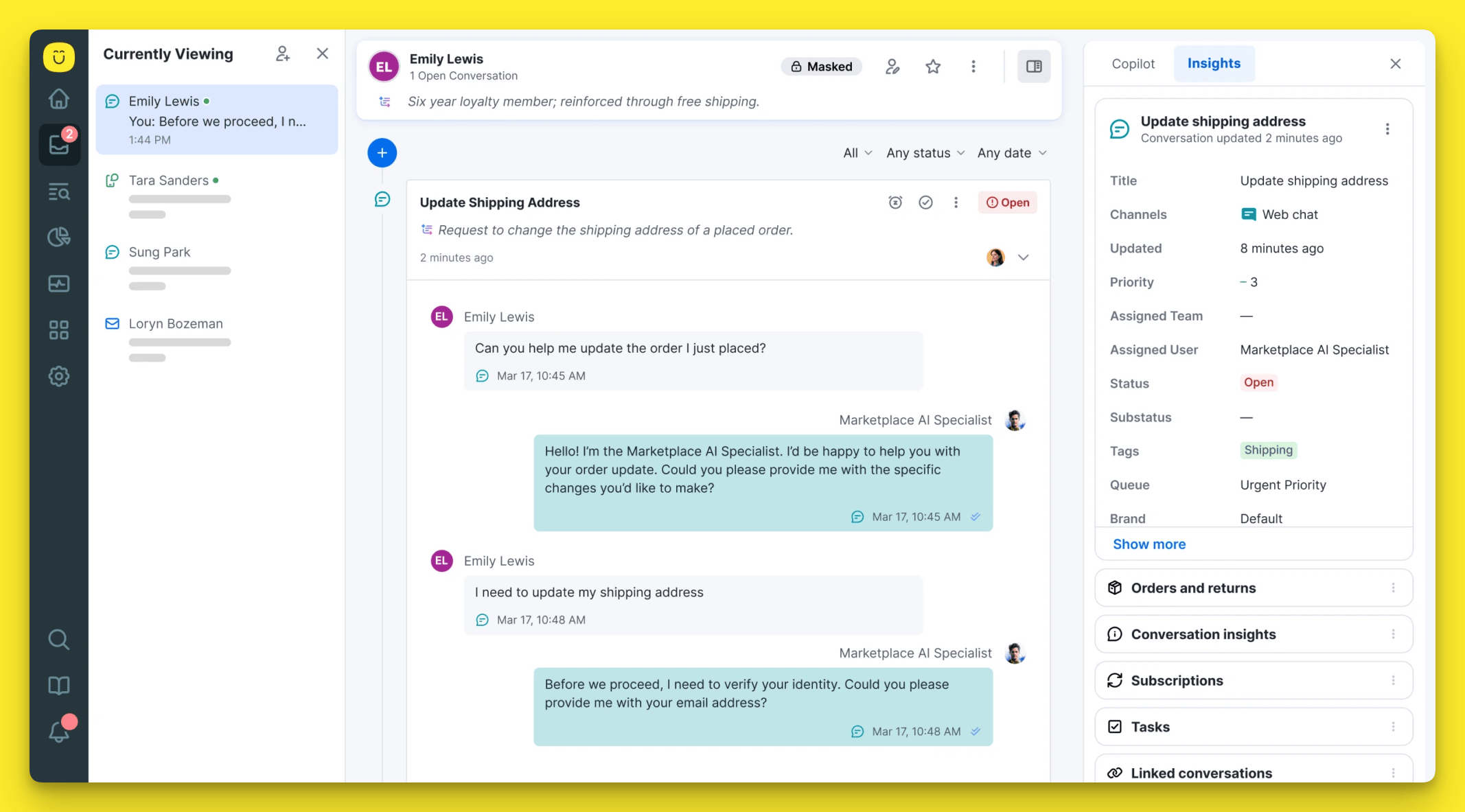
Kustomer is a customer experience platform built on a native CRM, giving agents a single timeline of every interaction rather than isolated tickets.
Best for: High-volume B2C teams that need rich customer context and a unified timeline.
Key features:
- Unified conversation timeline across all channels
- Native CRM for a 360-degree customer view
- Intelligent, data-driven routing
- AI agents and omnichannel reporting
Pricing: Kustomer pricing is custom and quote-based, positioned toward larger B2C operations.
The timeline view and CRM depth are real differentiators, but it leans support-first rather than full CX, and the integration ecosystem is smaller than legacy suites.
12. Tidio
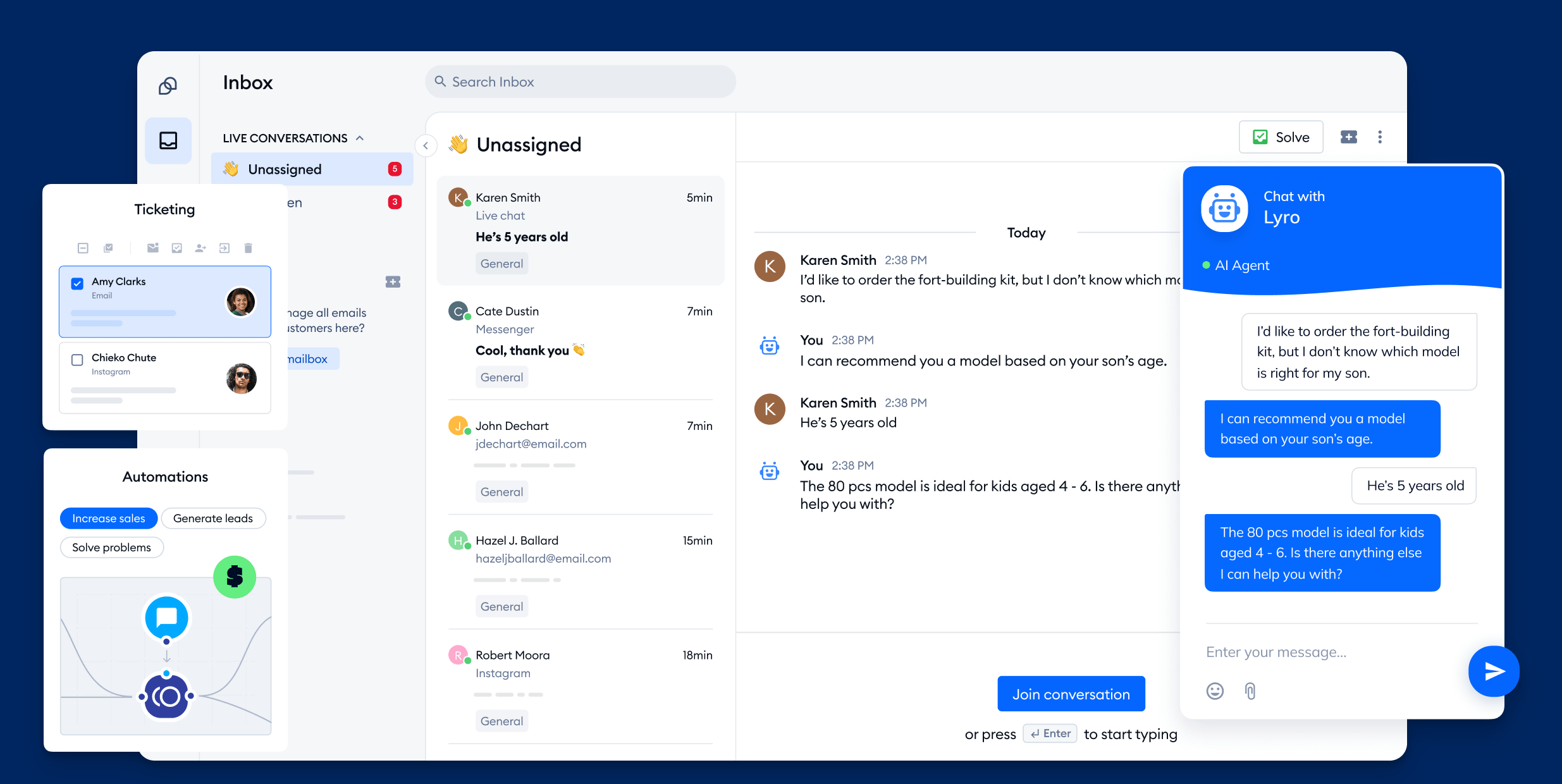
Tidio blends live chat, chatbots, and a helpdesk into one lightweight platform aimed at smaller businesses.
Best for: Small ecommerce stores that want live chat and AI automation on a budget.
Key features:
- Live chat with visitor tracking
- Lyro AI chatbot that resolves common questions
- Visual, no-code automation builder
- Shopify and WooCommerce integrations
Pricing: Tidio pricing offers a free plan, with paid plans starting around $29/month.
Tidio is easy to set up and friendly to smaller teams, but customization is limited and live chat support access is capped on lower plans.
How to choose the right omnichannel CX platform
Start with your primary channel mix and where your customers already are. Ecommerce brands live in order data, so a Shopify-native tool like Gorgias fits. Enterprises with heavy social volume lean toward Sprinklr, and teams anchored in a CRM will want the tool that extends it.
From there, weigh 3 things: how truly unified the conversation view is, how much of your volume AI can realistically deflect, and the all-in cost once you add the tier and add-ons you actually need, not the headline price.
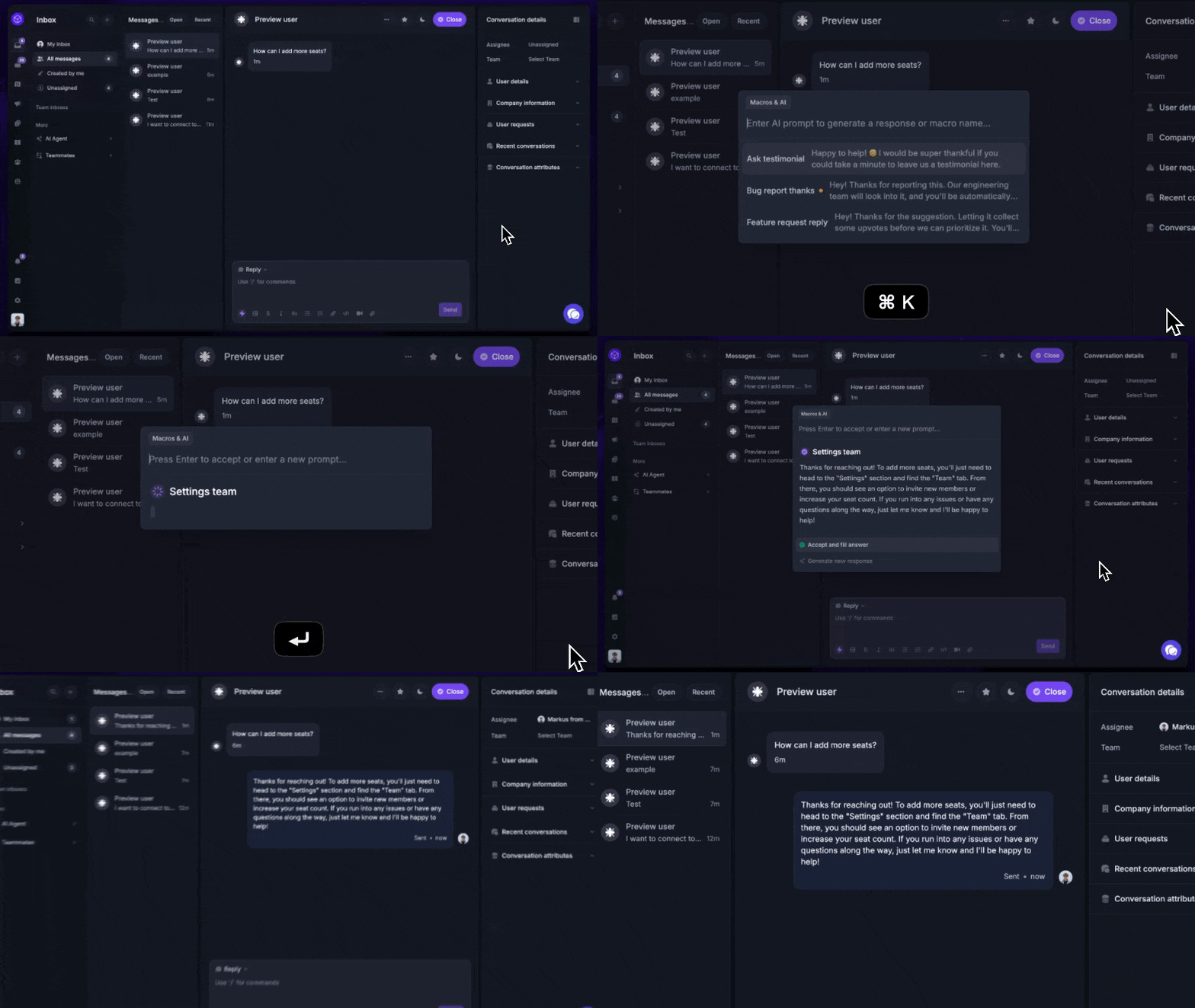
If you'd rather not run customer support, feedback, and product updates across separate subscriptions, an all-in-one platform is usually cheaper and simpler than assembling best-of-breed point tools, and it keeps every customer signal in one place.
Conclusion
Omnichannel customer experience isn't about being on every channel. It's about making every channel feel like one conversation, backed by one view of the customer and enough automation to keep up with demand.
Featurebase brings that together in a single, modern platform - an AI-powered omnichannel inbox, a self-serve help center, feedback and roadmaps, and product updates, all in one place instead of 5 separate tools. It's the fastest way for a growing SaaS team to unify support and customer experience without enterprise pricing or a months-long rollout.
There's a free plan, and onboarding takes minutes, so there's no downside to trying it. 👇
✨ Automate your support with the fastest AI-enhanced Inbox today →

FAQs
What's the difference between omnichannel and multichannel customer experience?
Multichannel means you offer several channels that each operate independently, so context doesn't carry between them and customers often repeat themselves. Omnichannel connects those channels into one system with a shared customer profile and conversation history. The practical difference is continuity: with omnichannel, a customer can move from chat to email to in-app and never lose the thread.
How do you measure omnichannel customer experience?
Track metrics across the whole journey rather than per channel. The core ones are customer satisfaction (CSAT), Net Promoter Score (NPS), customer effort score (CES), first-contact resolution, and average handle time. Because omnichannel unifies data, you can finally attribute these accurately instead of pulling skewed numbers from siloed channel reports.
How much does omnichannel customer experience software cost?
Pricing usually runs from about $14 to $70 per agent per month for mid-market tools, with enterprise platforms like Sprinklr and Kustomer quoted custom. Several tools add usage-based AI costs on top, such as per-resolution fees. Featurebase sits at the affordable end, with a free plan and paid plans from $29 per seat per month that include support, feedback, and help center in one subscription.
How does AI improve omnichannel customer experience?
AI resolves common questions automatically through chatbots and AI agents, so customers get instant answers on any channel. It also routes conversations to the right person, drafts agent replies, and surfaces the customer context an agent needs in real time. The result is faster resolutions and less manual work, without sacrificing consistency across channels.
What integrations should an omnichannel CX platform have?
At minimum, look for native connections to your CRM (Salesforce, HubSpot), your ecommerce platform (Shopify, BigCommerce), team tools like Slack, and your analytics stack. These integrations are what let a unified customer profile actually stay unified, pulling order history and account data alongside every conversation.
How can you improve your omnichannel customer experience?
Start by unifying customer data so every agent and bot works from the same profile and history. Then reduce channel-switching friction by keeping conversations as one thread across channels, and close the loop with feedback so you fix the issues customers actually raise. Consistent tone, shared knowledge, and AI-assisted routing round out the experience.